
In this tutorial you will learn how to create a shop page layout for a "Revocation notices" page and assign it to your storefront.
Creating the layout
Create a new layout of the type "Shop pages" in the Shopping Experiences Management and fill it with the desired content.
Note: How to create a shop page layout, you will discover in the tutorial Creating a shop page layout.
Assigning the page
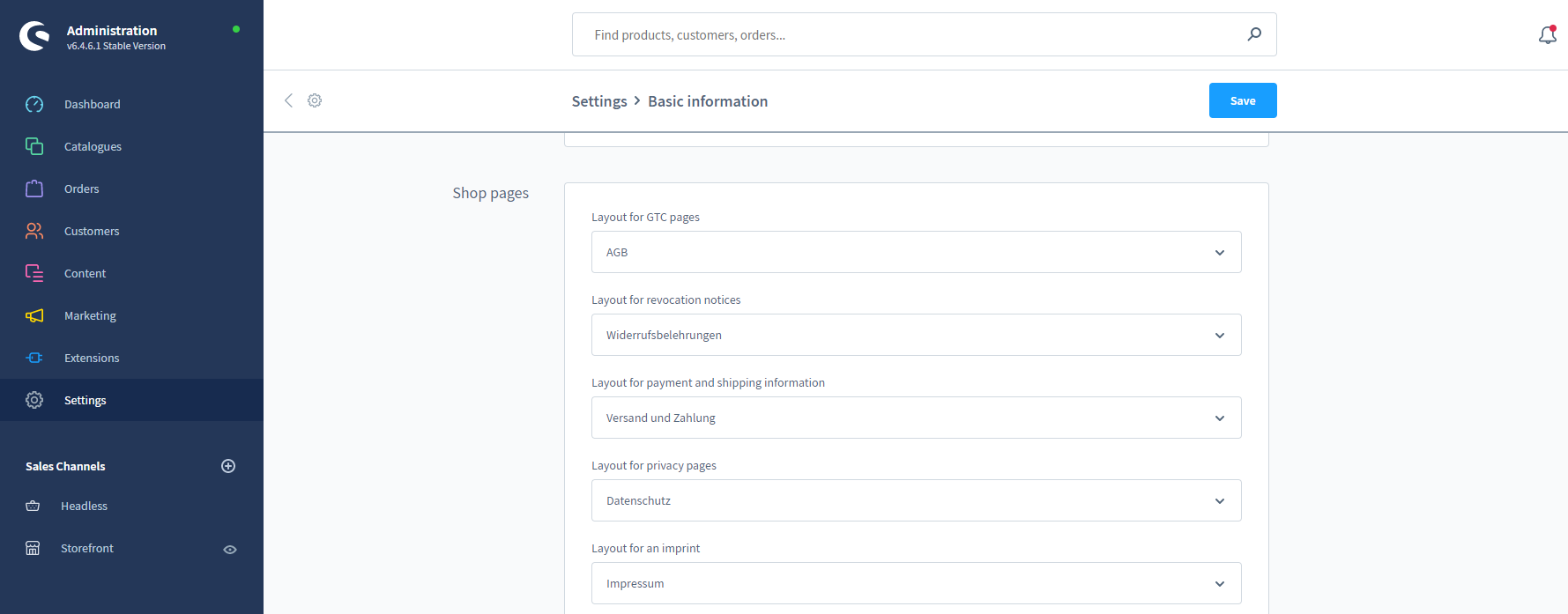
- Switch to the "Basic information" settings of your shop via the main navigation ("Settings" => "Shop" => "Basic information")
- Scroll down a bit to the section "Shop pages".
- Select the layout created above at "Layout for revocation notices".
- Confirm this change by clicking "Save".
Screenshots
Further information
Note: How to make a layout available in the storefront by using a navigation is described in the following tutorial: Linking shop pages in the storefront