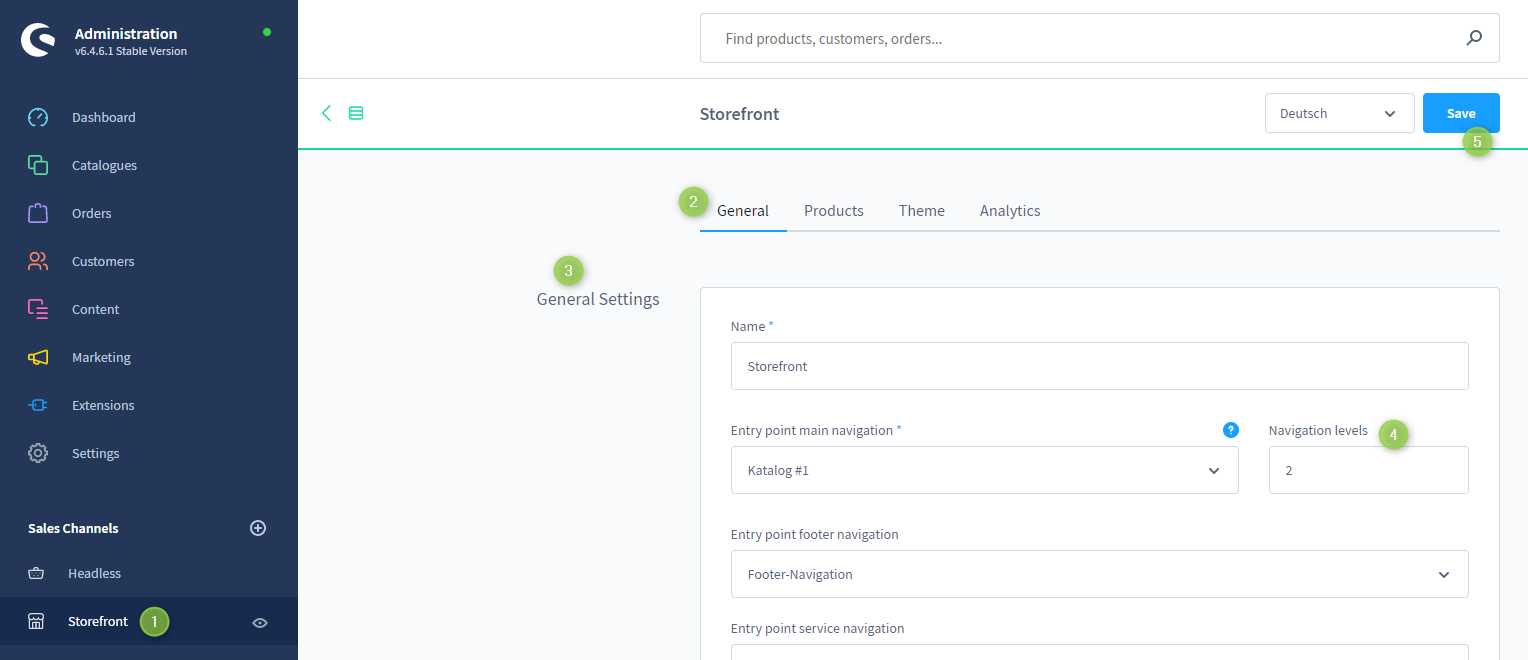
The amount of "Navigation Levels" in the top navigation flyout is a Shopware core feature and can be configured in the corresponding sales channel of your shop:
- Open the administration of your shop
- Navigate to your "Sales channel" (1)
- You are in the tab "General" (2)
- In the block "General Settings" (3) you will find the option "Navigation levels" (4).
- Change the number to the desired value
- Save your change (5)
Important: Shopware currently limits the levels in the template files. After a certain value, no more levels will be displayed, regardless of the configuration.
Screenshots