
- Open the administration of your shop
- Switch via the main navigation to "Theme Management" (1) (2) ("Content" => "Themes")
- Note: In the Shopware Cloud, you will find the "Themes" section directly in the main navigation.
- Now click on your ThemeWare® theme to open the theme configuration
- In the Tab "General", scroll to the section with the assignment of your theme
- Click on the
 Context-Button (3) top right to open a context menu
 - Select the option "Reset to default" (4)
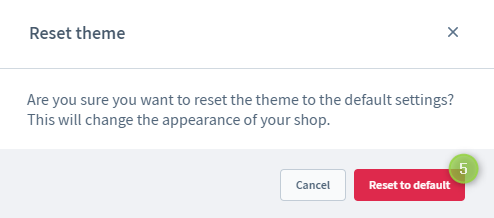
- A pop-up "Reset theme" appears
- Reset the theme configuration with the button "Reset to default" (5)
Screenshots
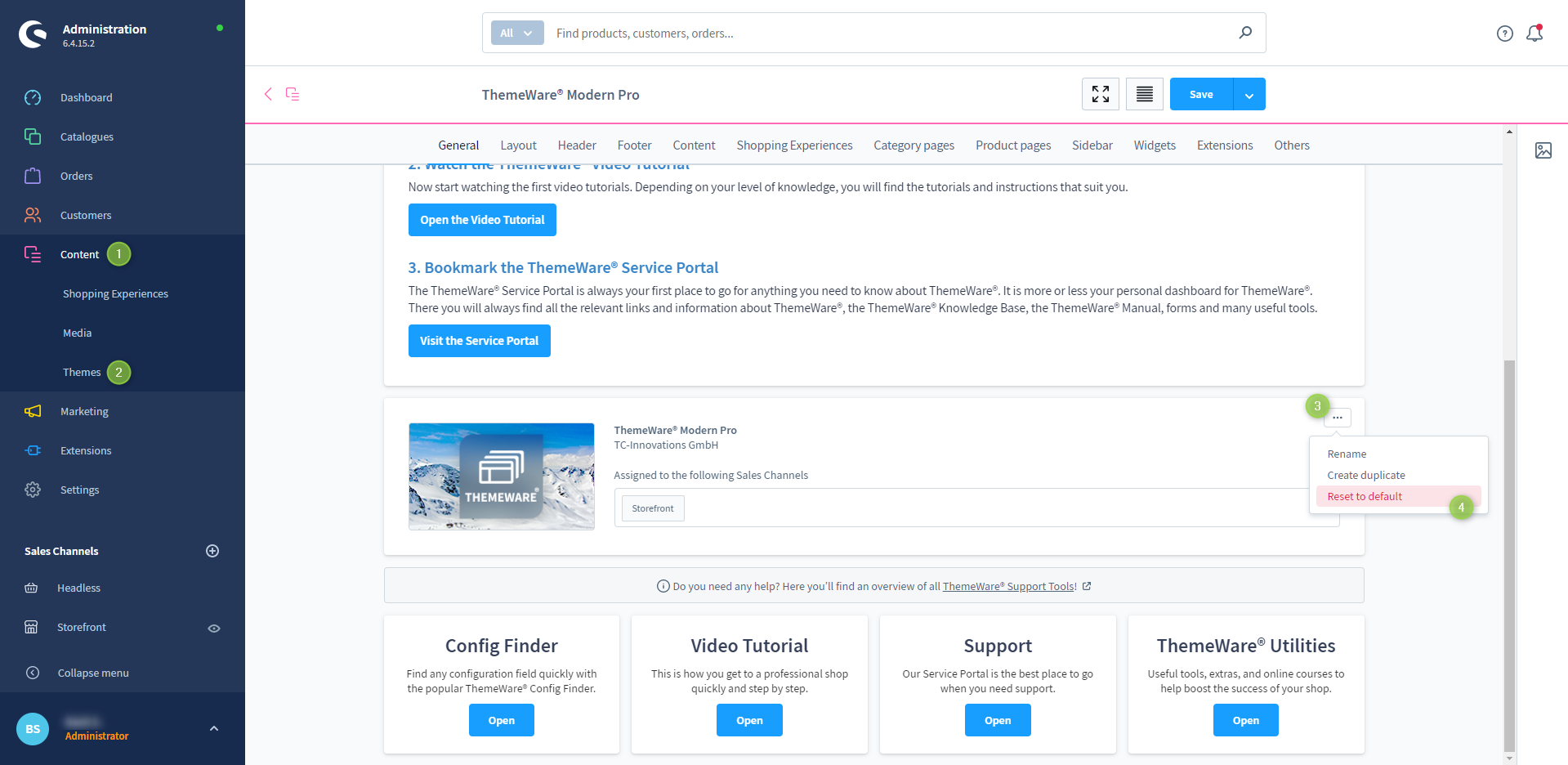
Resetting ThemeWare®
Manual approach (for experienced users)
Experienced users can reset the configuration manually via the database. You can find a tutorial on how to do this in the following article:
Resetting the ThemeWare® configuration