We are always happy to receive an honest rating. The rating does not have to be long, 1-2 sentences are sufficient.
Tip: If you like to give us feedback, you can always submit suggestions for improvement or a complaint using our Service Portal. We will respond to any feedback.
There are two methods of rating ThemeWare®:
- Using your Shopware Account (recommended)
- Using your Shop administration
Note: The rating via the Shopware account is more detailed and therefore more constructive than a rating via the store administration.
In the following we show you both methods in detail.
1. Shopware Account
- Log in to your Shopware account
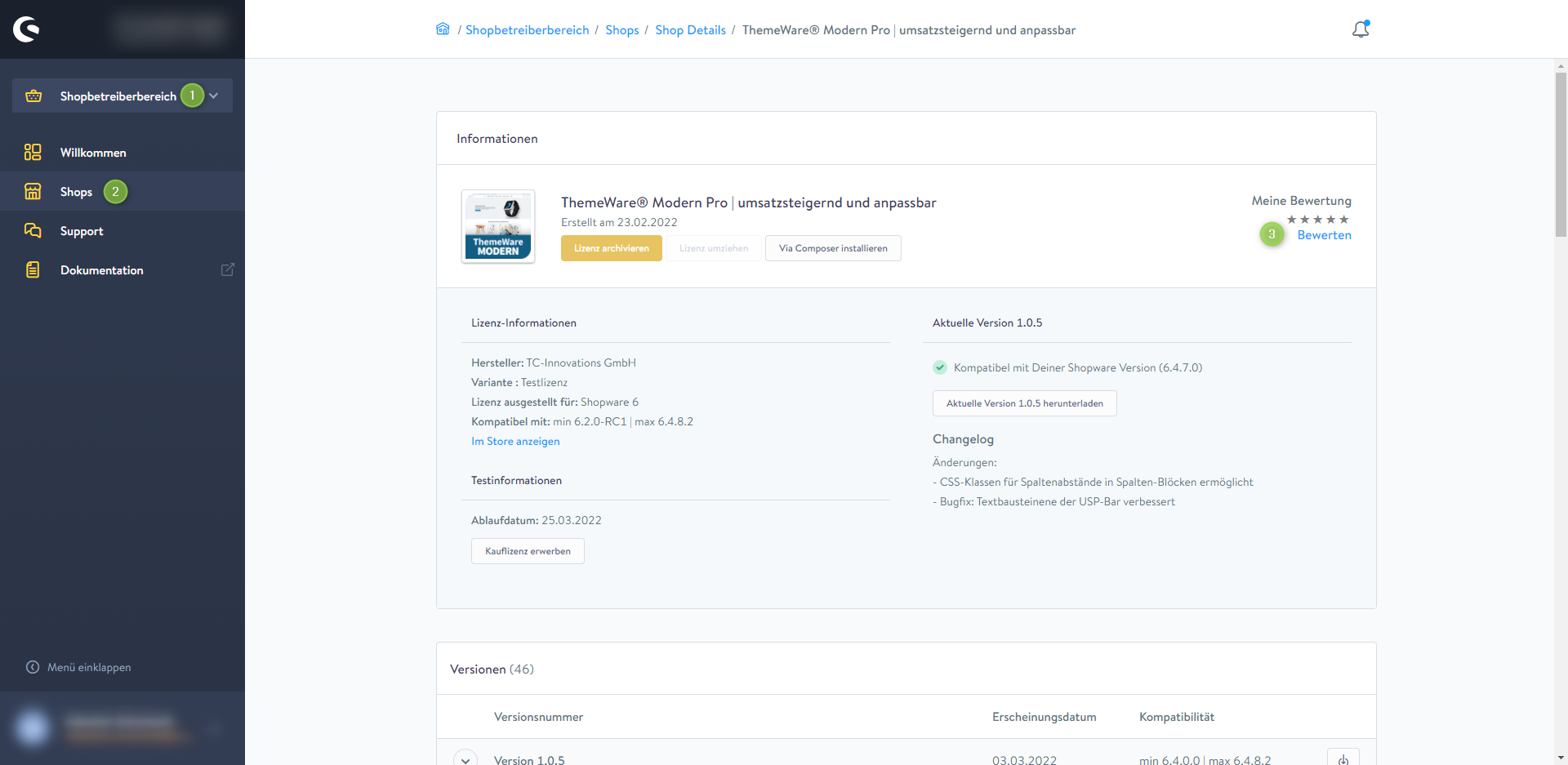
- Switch to the "Merchant Area" (1) via the selection field in the upper left.
- In the navigation, click "Shops" (2)
- Now choose the shope for which you have tested, purchased or rented the extension
- Scroll down to the"Licenslist"
- Now click the extension you want to rate
- At the top right you will find the link "Rate" (3)
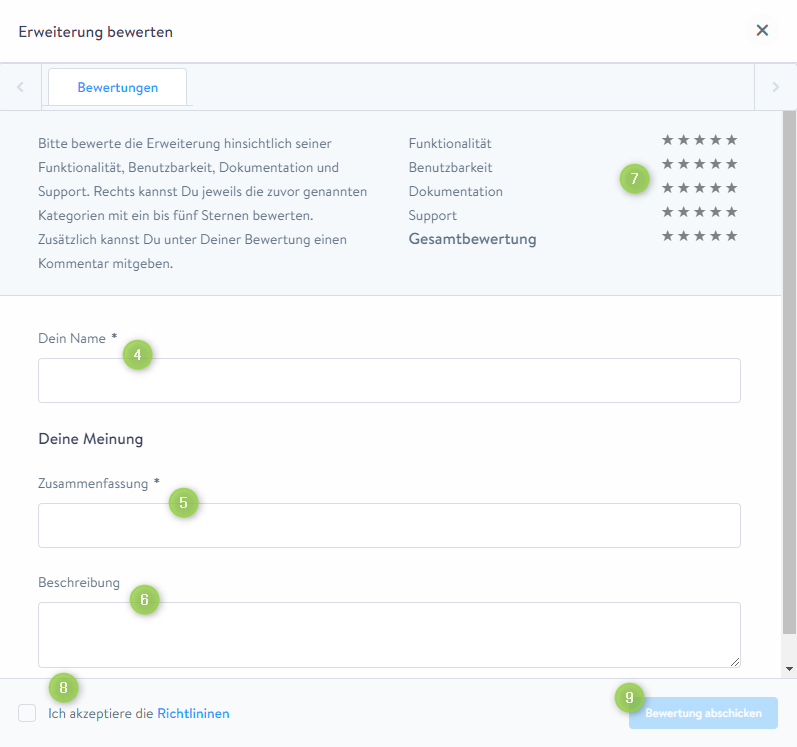
- In the following pop-up you will be able to make your rating
- Enter your name (4), a headline or summary (5) for your rating and the your review or description (6)
- Please rate the functionality, usability, documentation and support (7) of ThemeWare® by using the 5 stars
- Confirm the Terms and Conditions (8)
- Send the rating by clicking "Submit Rating" (9)
Screenshots
2. Shop administration
- Open the administration of your shop
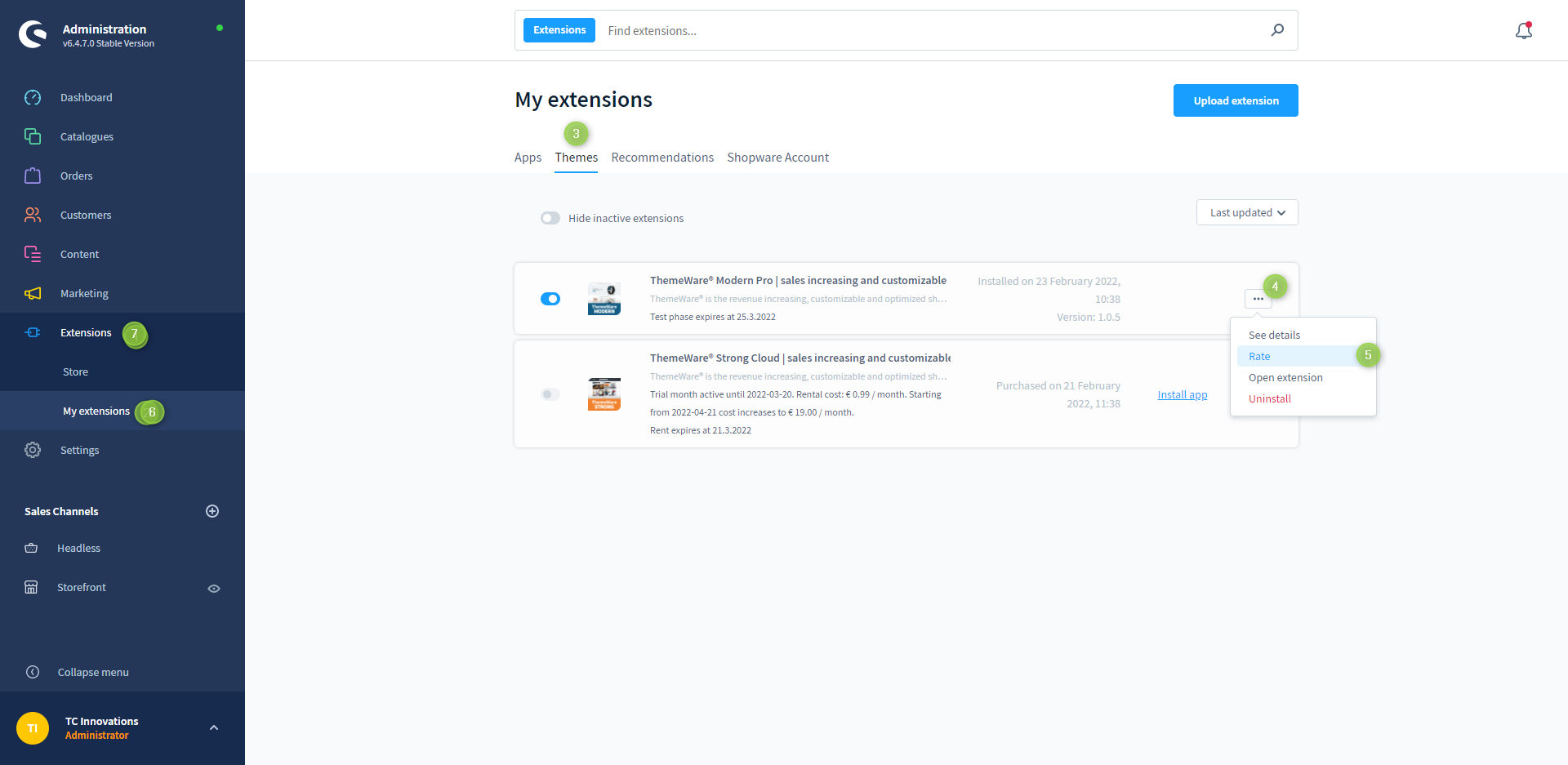
- Switch via the main navigation to the"Extension Management" (1) (2) ("Extensions" => "My Extensions")
- Switch to the tab "Themes" (3)
- Click the
 Context-Button (4) next to the theme to open the context menu and click on "Rate" (5)
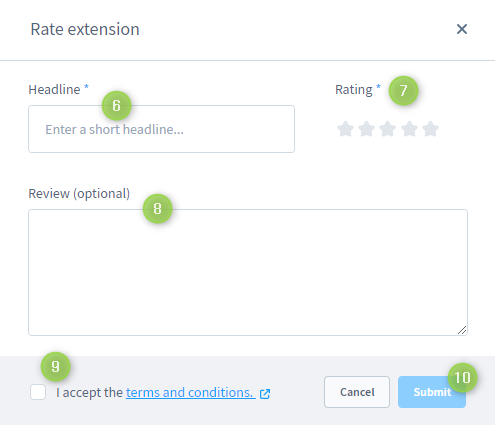
 - In the following pop-up you will be able to do your rating
- Enter a headline (6) for your rating and your review (8)
- Please rate ThemeWare® using the 5 stars in the section Rating (7)
- Confirm the Terms and Conditions (9) and submit the rating clicking "Submit" (10)
Screenshots