
- Open the administration of your shop
- Switch via the main navigation to the "Theme Management" ("Content" => "Themes")
- Note: In the Shopware Cloud, you will find the section "Themes" directly in the main navigation.
- In order to open the context menu, click onto the Context button
 in the top right-hand corner of the ThemeWare® duplicate preview image.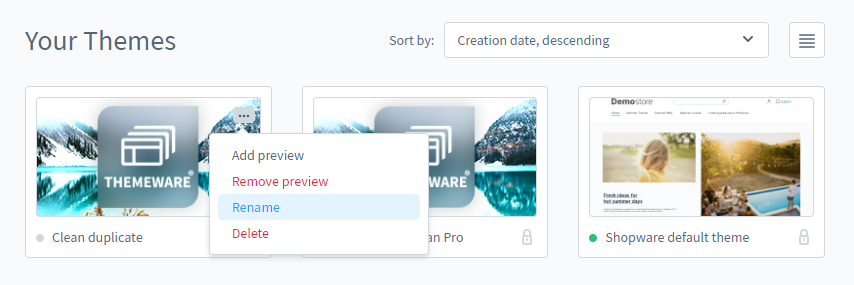
- Click "Rename"
- A pop-up will appear again in which you can change the name of the duplicate
- Confirm the change with "Save".
Tip: You will benefit from our improved theme configuration representation when the name of the duplicate contains the word "ThemeWare".