
The ThemeWare® rental version includes a free trial month. Feel free to use this option to test different variants before making your final decision. The rental can be cancelled at any time on a monthly basis or is automatically extended at the prices stated at the time of booking.
Tip: If you purchase extensions in a test domain, you can later transfer the licences to the live domain via your Shopware account. You can find more information about this in the Shopware documentation.
Testing ThemeWare®
- Open the administration of your shop
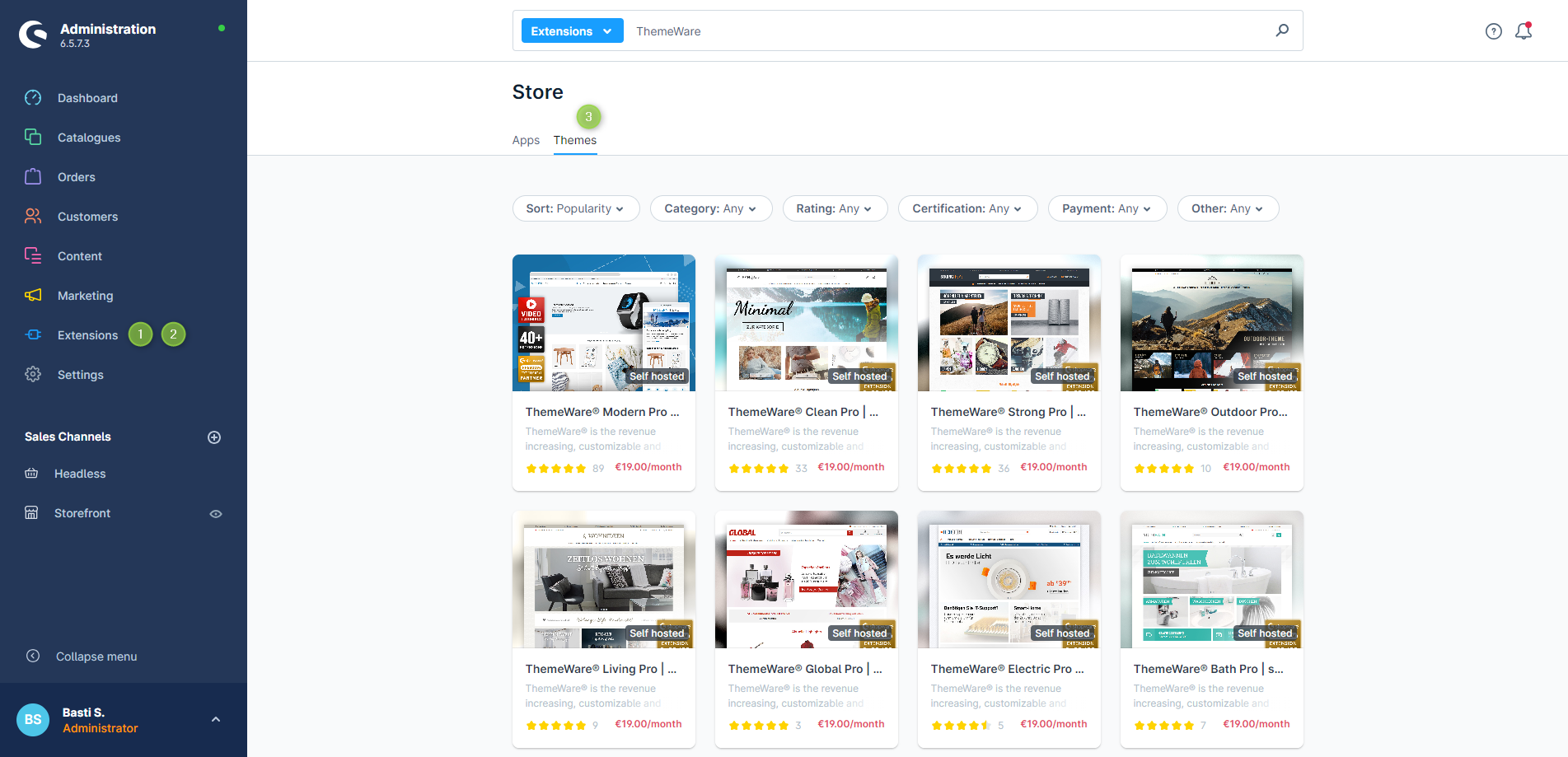
- Switch via the main navigation to the "Store" (1) (2) ("Extensions" => "Store")
- Switch to the tab "Themes" (3)
- Optional: Enter "ThemeWare" or e.g."Modern" into the search field
- Now click the ThemeWare® theme you desire in the overview
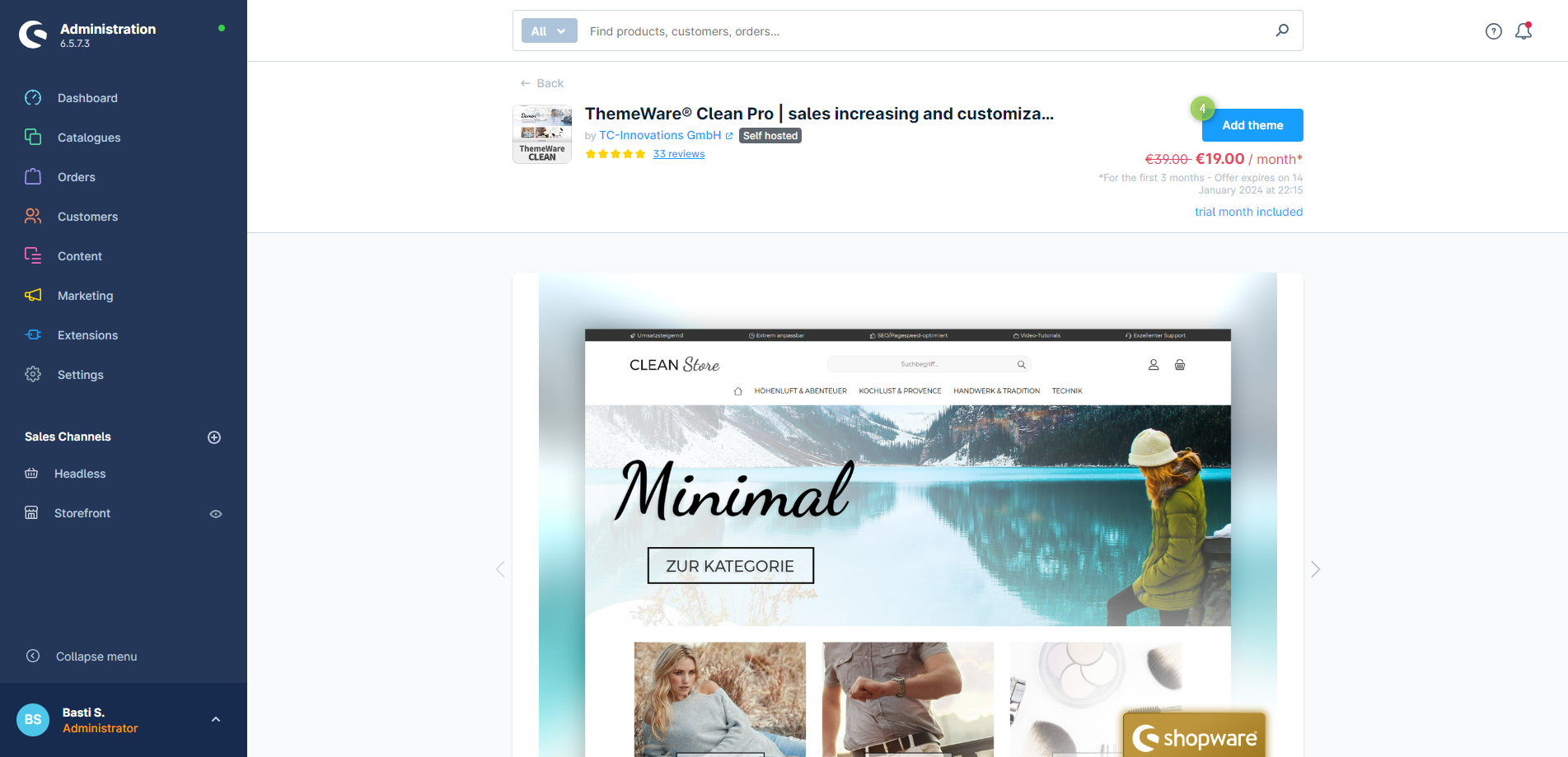
- The details page of the ThemeWare® theme will open up now
- Click the button "Add theme" (4)
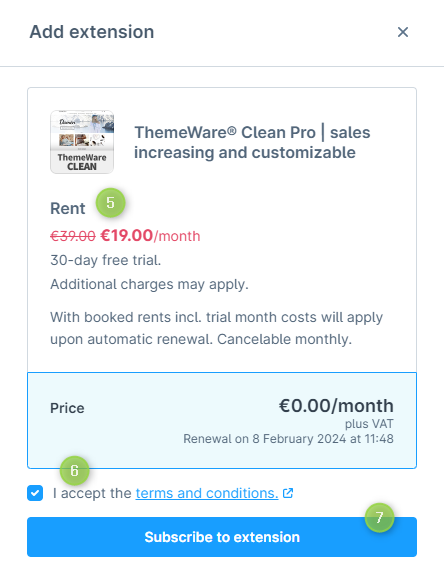
- A pop-up will now open
- Here you can find all the details about the costs after the trial month (5)
- Please read and accept the Terms and Conditions (6)
- Now confirm the booking with "Purchase this extension" (7)
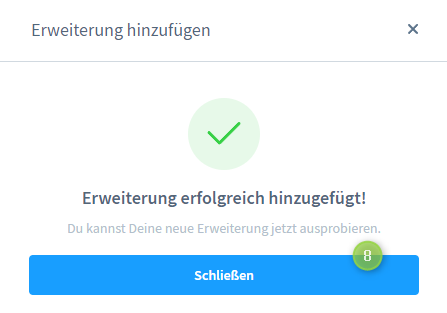
Now you have subscribed to ThemeWare® with a free trial month.
In the next article you will find out how to install ThemeWare®.
Screenshots
Further information
If you have further questions or any problems, you can find more information in our detailed tutorial: Testing ThemeWare®