
Description
One or more pop-ups or modals remain empty and do not display any content. This can affect, for example, the "Privacy" and/or "Terms and Conditions" modal from the footer and/or the "Shipping Costs" modal on the product page.
Cause
This is not a theme "problem" or "bug" but a missing or incomplete Shopware configuration.
In order for shop pages to be displayed in modals (pop-ups), they must be created as Shopping Experience layouts and assigned in the Shopware settings.
Solution
- Create the corresponding shop page as a Shopping Experience layout ("Contents" => "Shopping Experience" => "Shop pages")
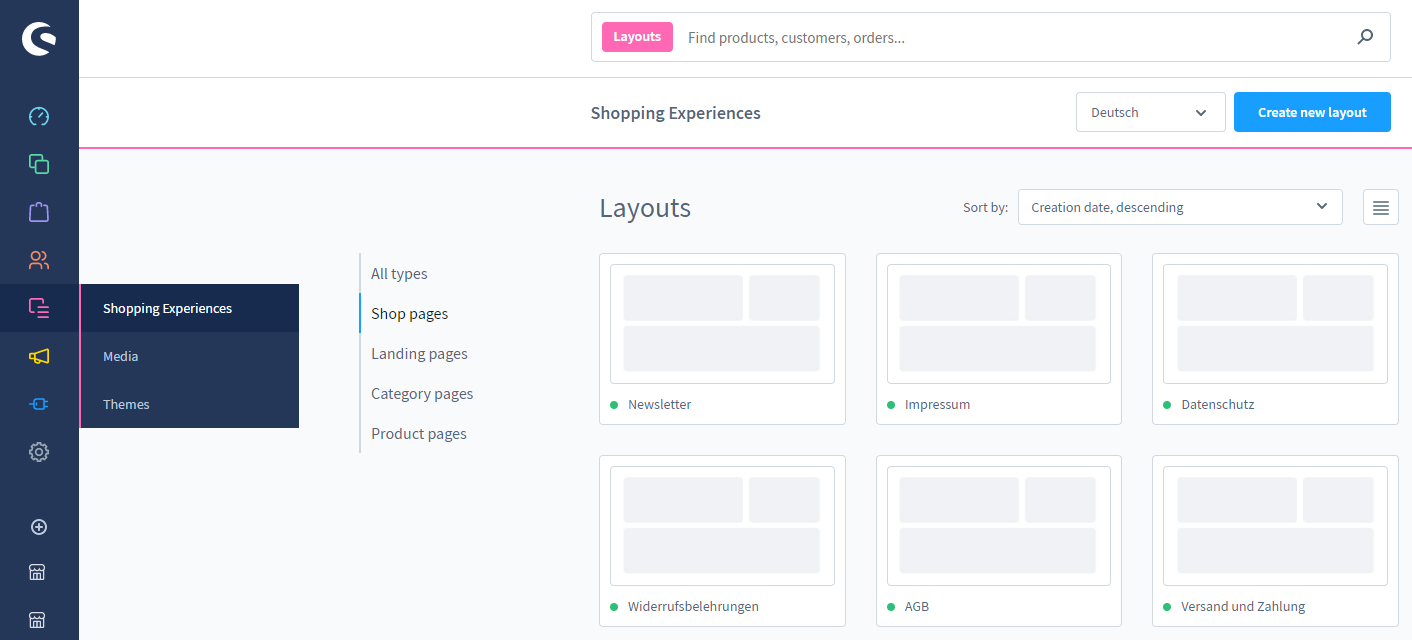
- Assign this shop page layout via the Shopware settings to your storefront
 zu ("Settings" => "Shop" => "Basic information" => "Shop pages")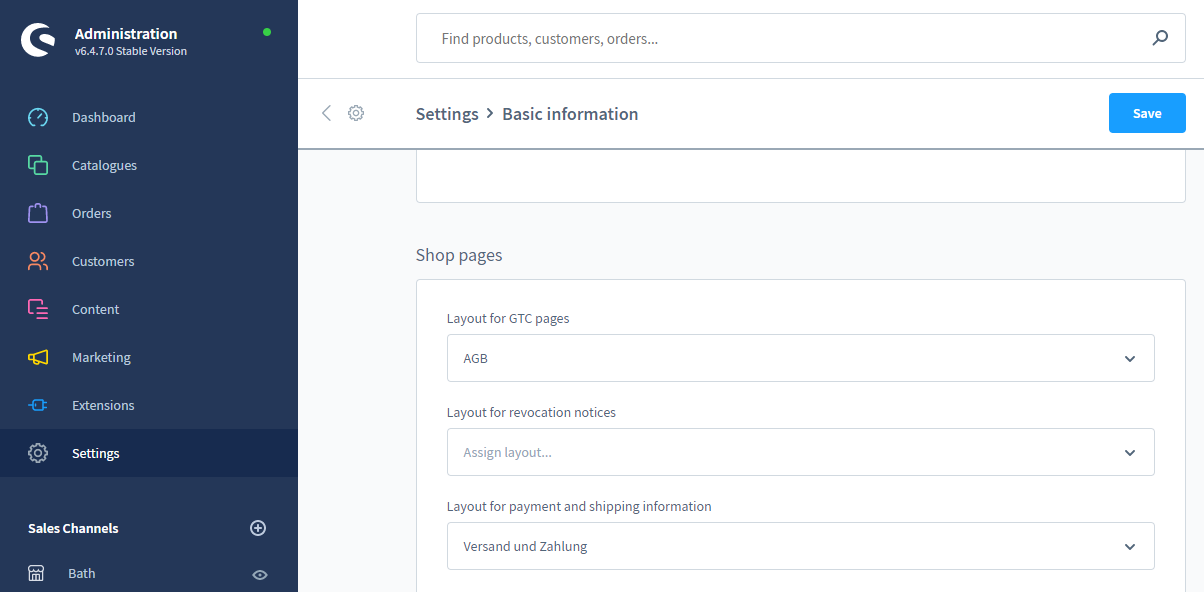
Note: You can find more information in the article Shop pages.
Issue not solved?
If you could not solve the problem, simply start the ThemeWare® Debugging. You can open a support ticket in case you are not able to solve the problem yourself: