
In this article you will discover how to link up your Shopware Account with your shop.
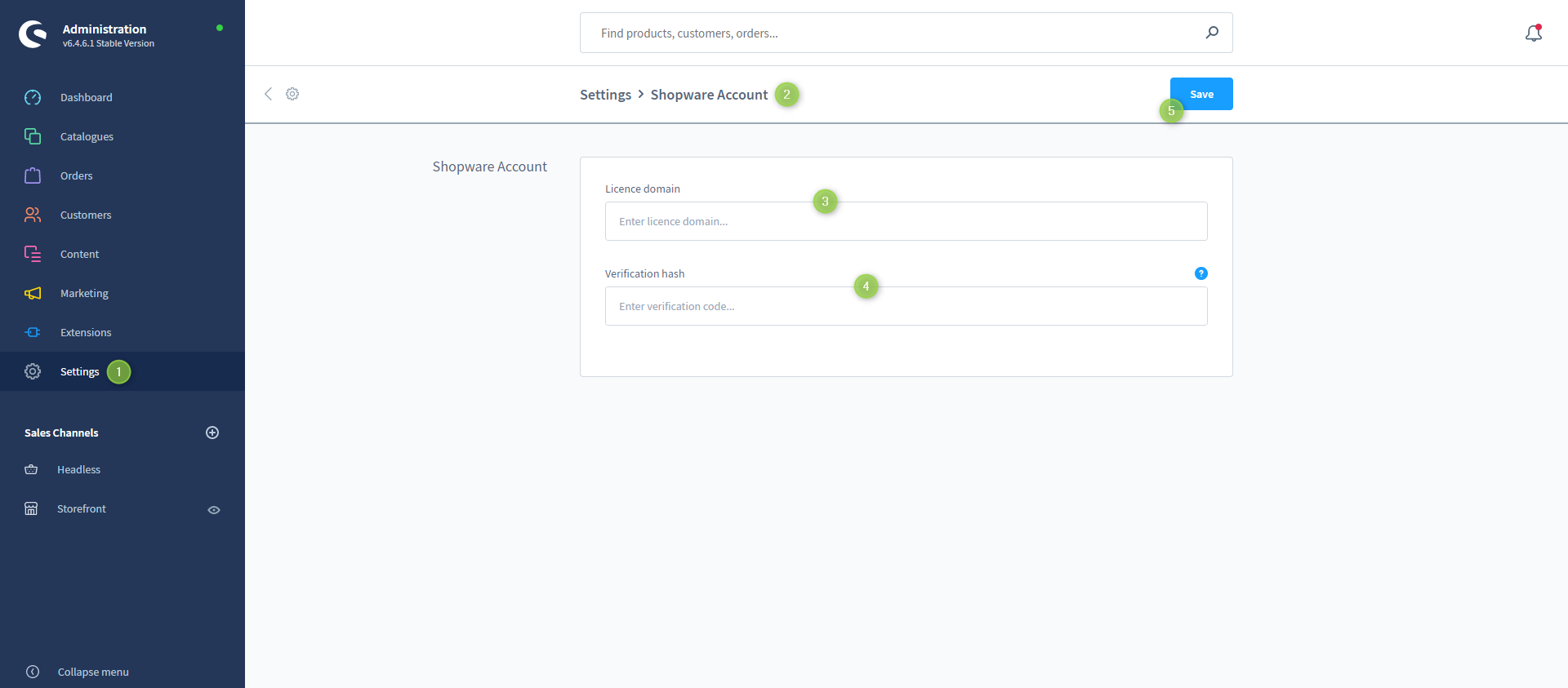
- Open the Administration of your shop
- Switch via the main navigation to the "Account Settings" (1) (2) ("Settings" => "System" => "Shopware Account")
- Enter the "License domain" (3) of your shop
- Enter your "Verification hash" (4)
Now you have successfully linked up your Shopware Account in your shop.
Screenshots
Supplementary information
Note: You will receive the " Verification Code " when you set up your shop in your Shopware Account: Setting up the shop in the Shopware Account
Further information
Tip: Now register your Shopware Account in the Administration Shop: Registering the Shopware Account in the administration