
There are several ways to find out which is the latest ThemeWare® version.
- Find the latest version in the Service Portal
- Find the latest version in the Shopware Store
ThemeWare® Version in the Service Portal
- Open the Service Portal in the browser of your preference
- In the Main Navigation click on "Changelogs"
- The current version number of ThemeWare® is the first entry in the list, including the date of release.
ThemeWare® Version in the Shopware Store
- Open the Shopware Store in the browser of your preference
- Find and open the product page of your Theme
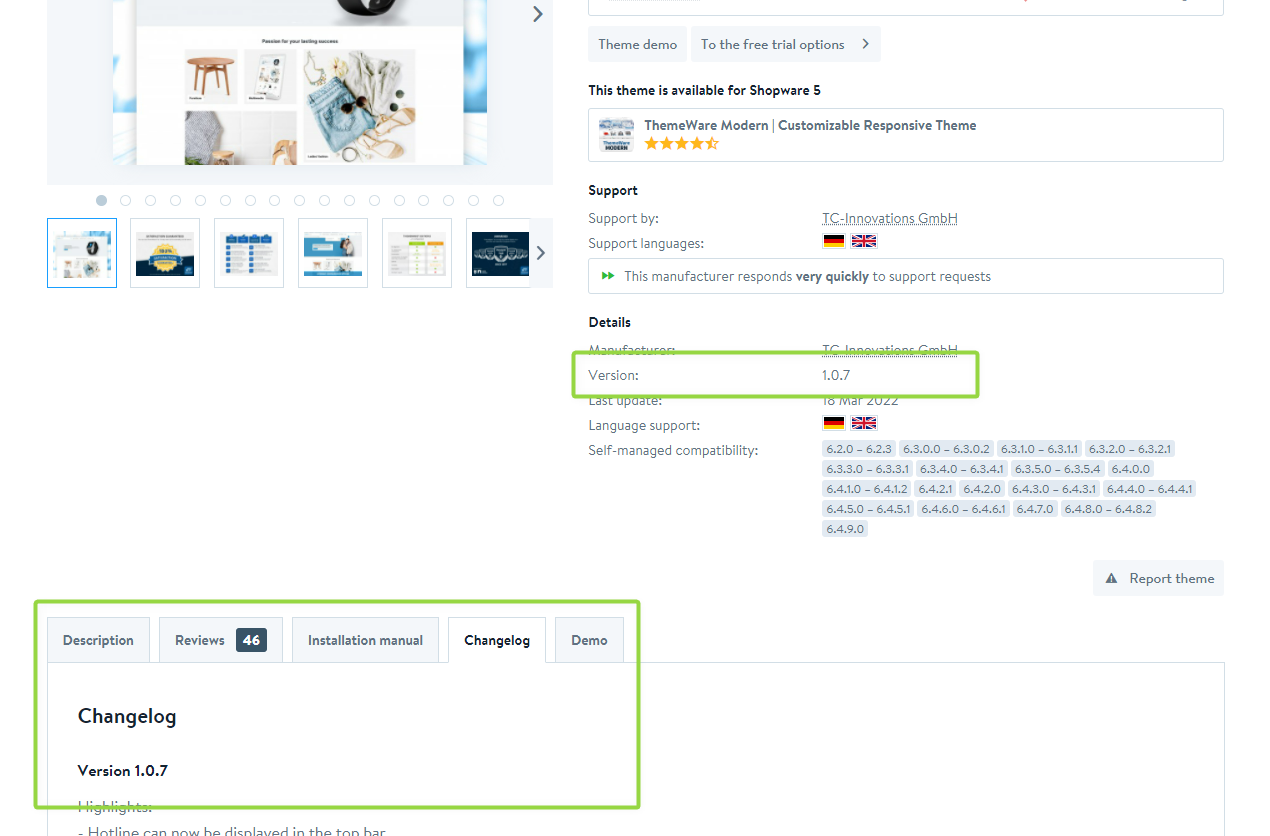
- The current version number of ThemeWare® is shown here in two positions:
- In section "Details" in the buybox
- In the changelog in the tab "Changelog"
Screenshots
Further information
Note: In case the extension management does not offer you any updates, even though there is a newer version of ThemeWare® available, you may find possible solutions in the article ThemeWare® update not available