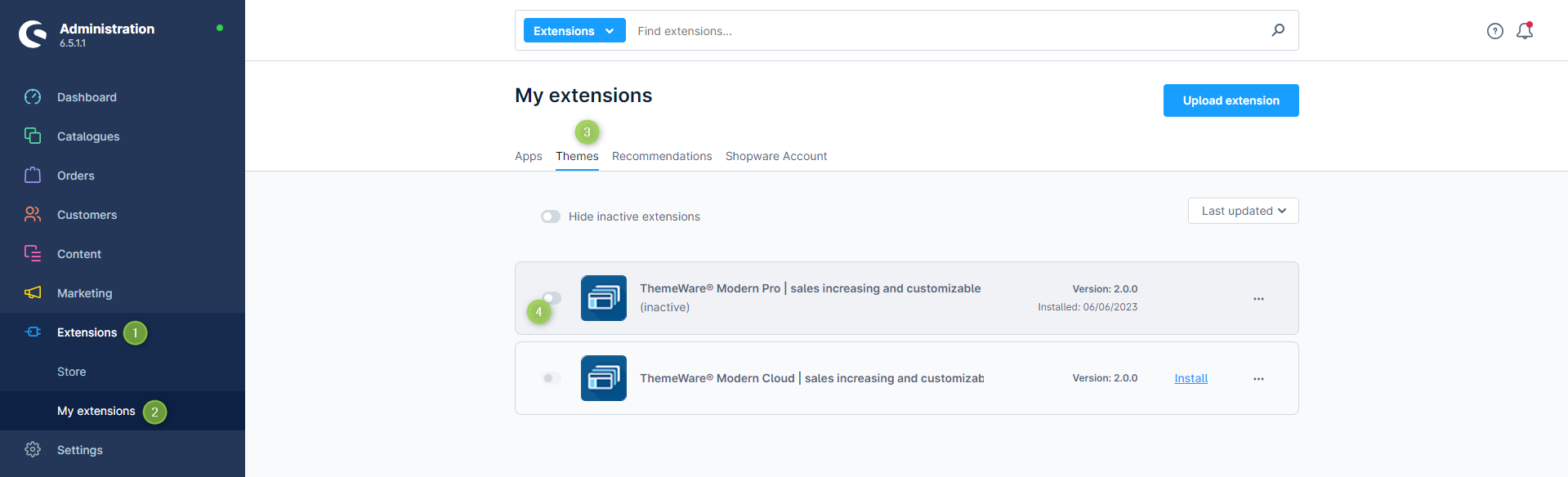
- Open the administration of your shop
- Switch via the main navigation to "Extension Management" (1) (2) ("Extensions" => "My Extensions")
- Switch to the "Themes" tab (3)
- Activate ThemeWare® via the
 switch button (4) on the left of the ThemeWare® logo
 - Clear the entire Shopware cache and reload the administration
ThemeWare® has now been activated.
Tip: Assign ThemeWare® to your storefront next: Assigning ThemeWare®
Screenshots