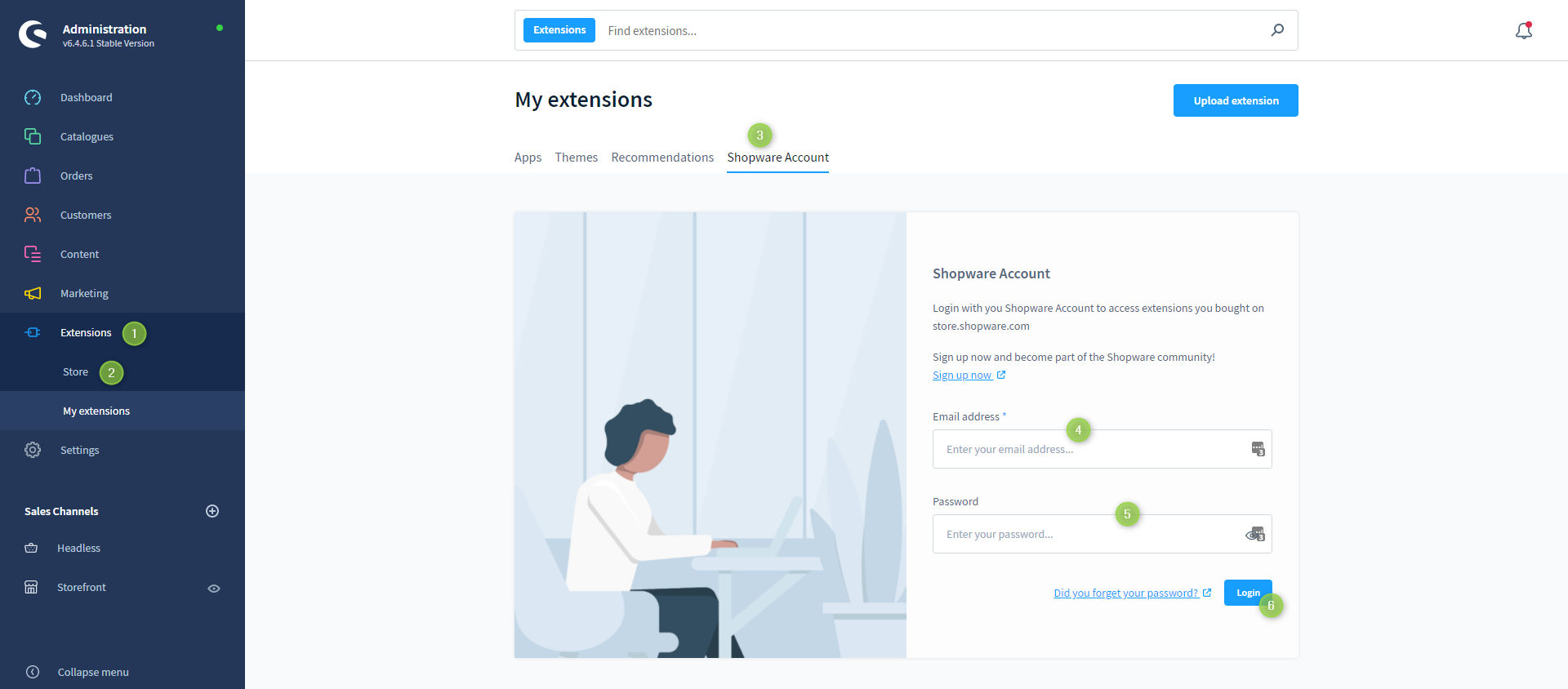
In this article you will discover how to register your Shopware Account in the "Store" of your administration.
- Open the administration of your shop
- Switch via the main navigation to the "Extension Management" (1) (2) ("Extensions" => "My Extensions")
- Switch to the tab "Shopware Account" (3)
- Enter the " Email address " (4)
- Enter your "Password" (5)
- Log in using the button "Login" (6)

The Shopware Account has now been successfully registered in your shop.
Screenshots