
In this section, you can add your own CSS and/or JavaScript code. As this are "individual customisations", we can only provide limited support here as part of the plugin support.
Tab "Others" => Block "Expert settings"
The "Expert settings" in the theme configuration are – as the name implies – aimed at experts or professionals who are experienced in dealing with individual customisations.
Attention: Please note that custom code can cause considerable issues or potentially dangerous vulnerabilities!
You can find out how to use these configuration fields in the ‘Individual customisations’ section:
Individual customizations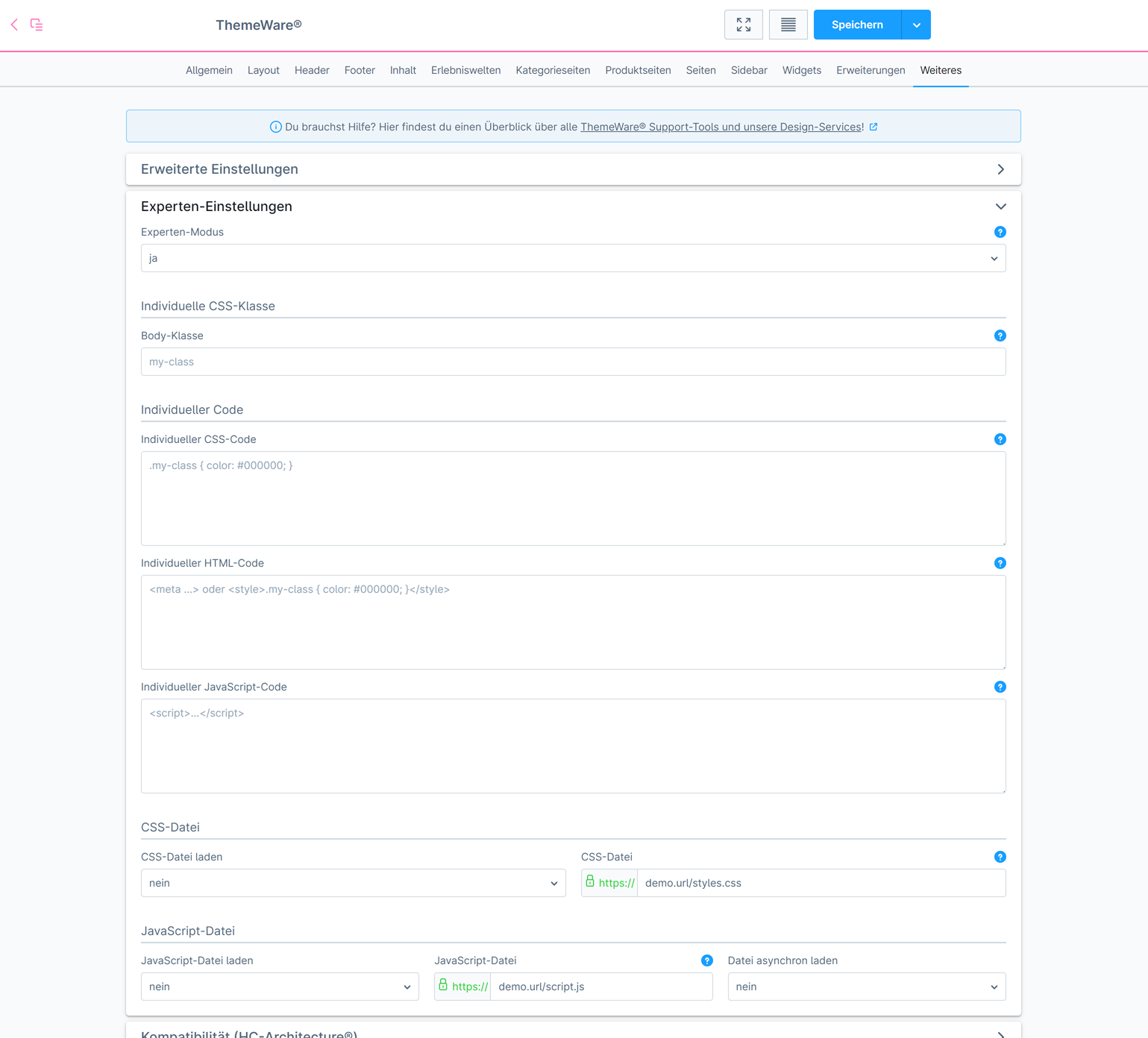
ThemeWare® "Expert settings"
Tip: To apply the "Expert settings" in the storefront, please activate "Expert mode" and deactivate the "Debug mode" of ThemeWare®:
- Tab "Others" => Block "Expert settings" => Expert mode
- Expert mode
- Debug mode
Note: The "Expert settings" are individual customisations. As part of the plugin support, we can provide support here only to a very limited extent.