
- Open the administration of your shop
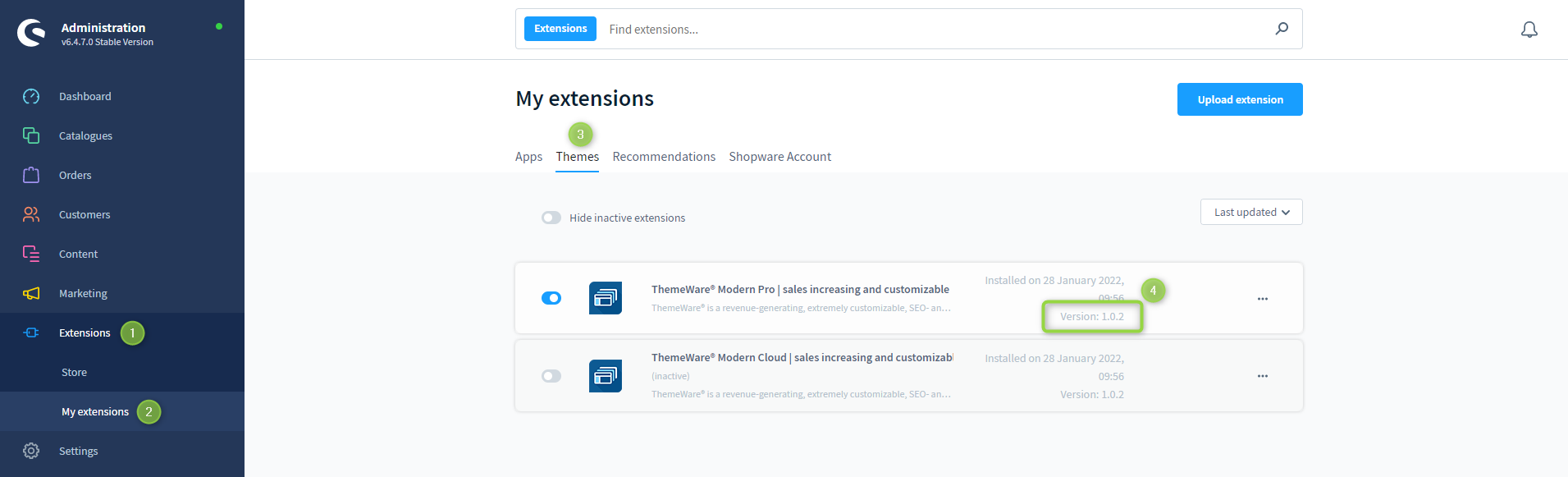
- Switch via the main navigation to the "Extension Management" (1) (2) ("Extensions" => "My extensions")
- Switch to the tab "Themes" (3)
- Read the version number from the entry for ThemeWare® (4)
Screenshots
ThemeWare® Knowledge Base
In this tutorial you will learn how to determine the version of ThemeWare® for Shopware 6.
Last updated on
This page online: /en/wiki/knowledge-base/tutorials/administration/determining-the-themeware-version · ThemeWare® Service Portal, service.themeware.design