
- Open the administration of your shop
- Switch via the main navigation to the "Extension Management" (1) (2) ("Extensions" => "My Extensions")
- Click on the
 Context-Button (3) next to the theme to open the context menu and click on "Uninstall" (4)
 - In the following pop-up you have to confirm the uninstallation with the "Uninstall" button once again
The extension has now been uninstalled.
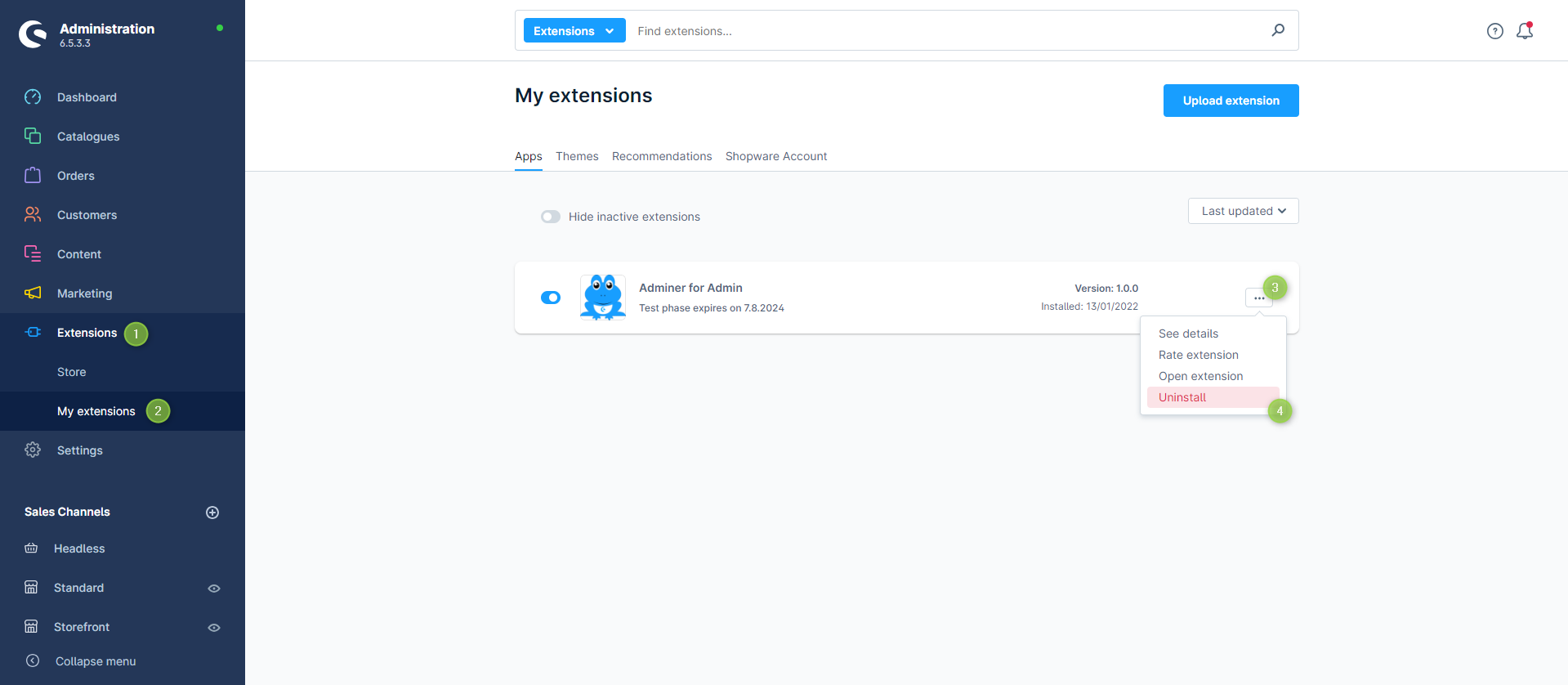
Uninstall extension
Note: It makes sene, but is not necessary, to deactivate extensions before uninstalling them.
Important: Unlicensed extensions must be completely deleted and may not appear in the plugin manager of your shop!