
The Changelog tab lets you follow the full version history of ThemeWare® — with all highlights, changes and notes per release. Data is loaded directly from the ThemeWare® service portal (via JSON feed) on each visit, so you never miss a release.
Note: Data is only read; no data is transmitted to the service portal.
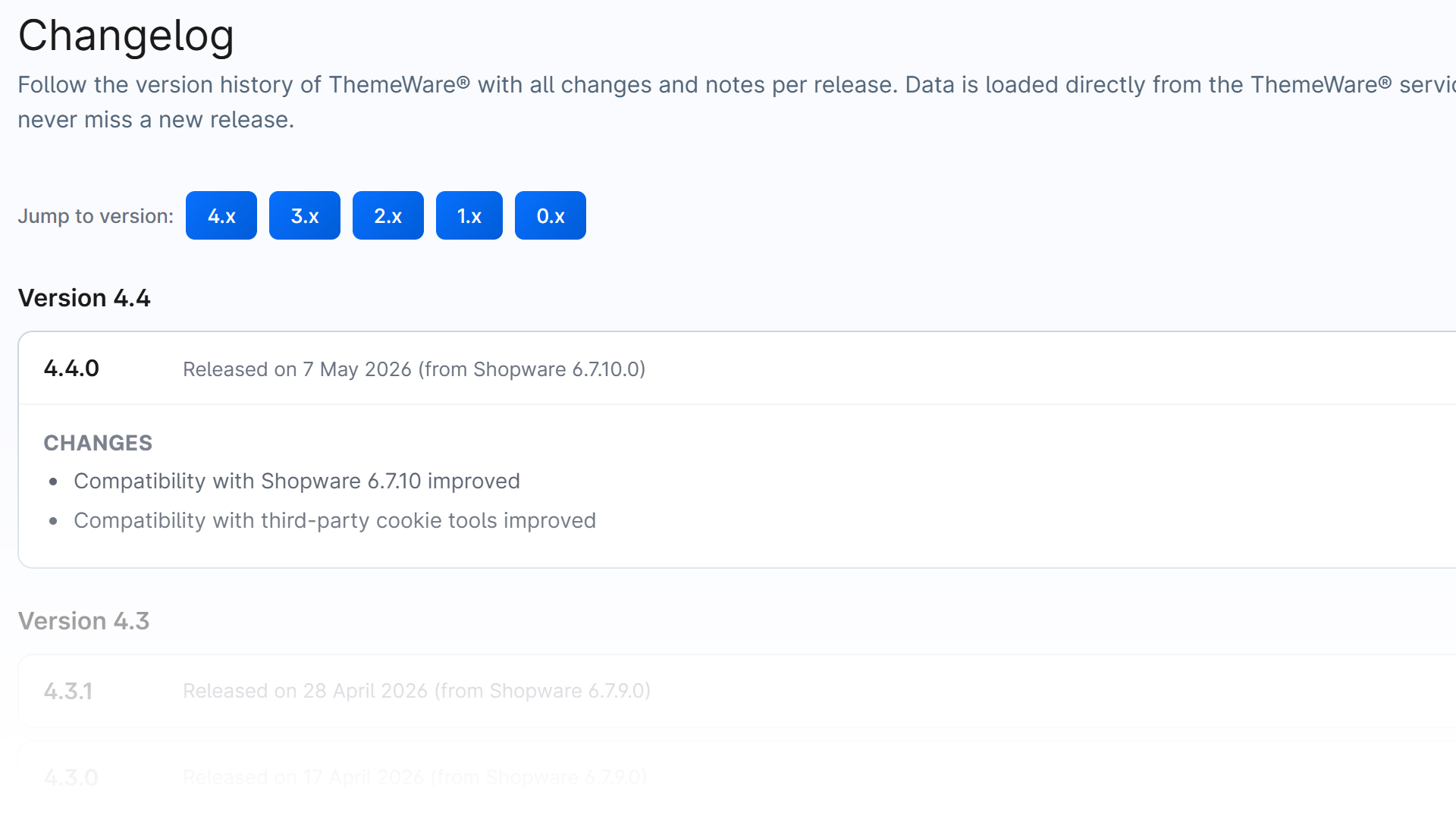
Layout
Entries are grouped by major version (e.g. 4.x, 3.x). Each version entry can be expanded and shows:
- Highlights — the most important new features
- Changes — all further adjustments
- Notes — important information about the version
Badges on an entry indicate the type of version (feature, premium request, bugfix, note). Markers like Pro or Cloud show which edition a change applies to.
Usage
- Jump to version — use the version buttons (e.g. "4.x") at the top to go straight to the desired major version.
- Expand all / collapse all — shows or hides the details of all entries.
- The latest version is expanded automatically on open.
Installed version
Your currently installed version is highlighted in the changelog with a blue border and an "Installed" label.
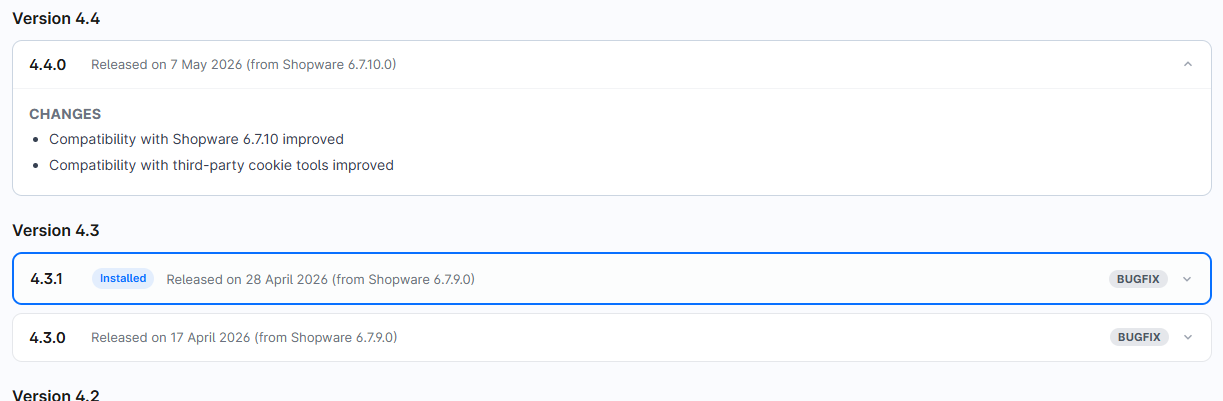
Installed version highlighted
If a newer version is available, a "Update recommended" notice appears at the top showing your installed and the latest version.

"Update recommended" notice