
The announcement banner is a status bar above the header. Status messages can be displayed here.
The banner is suitable for the promotion of campaigns, for example. Changes in shipping times due to vacation or absence can also be displayed.
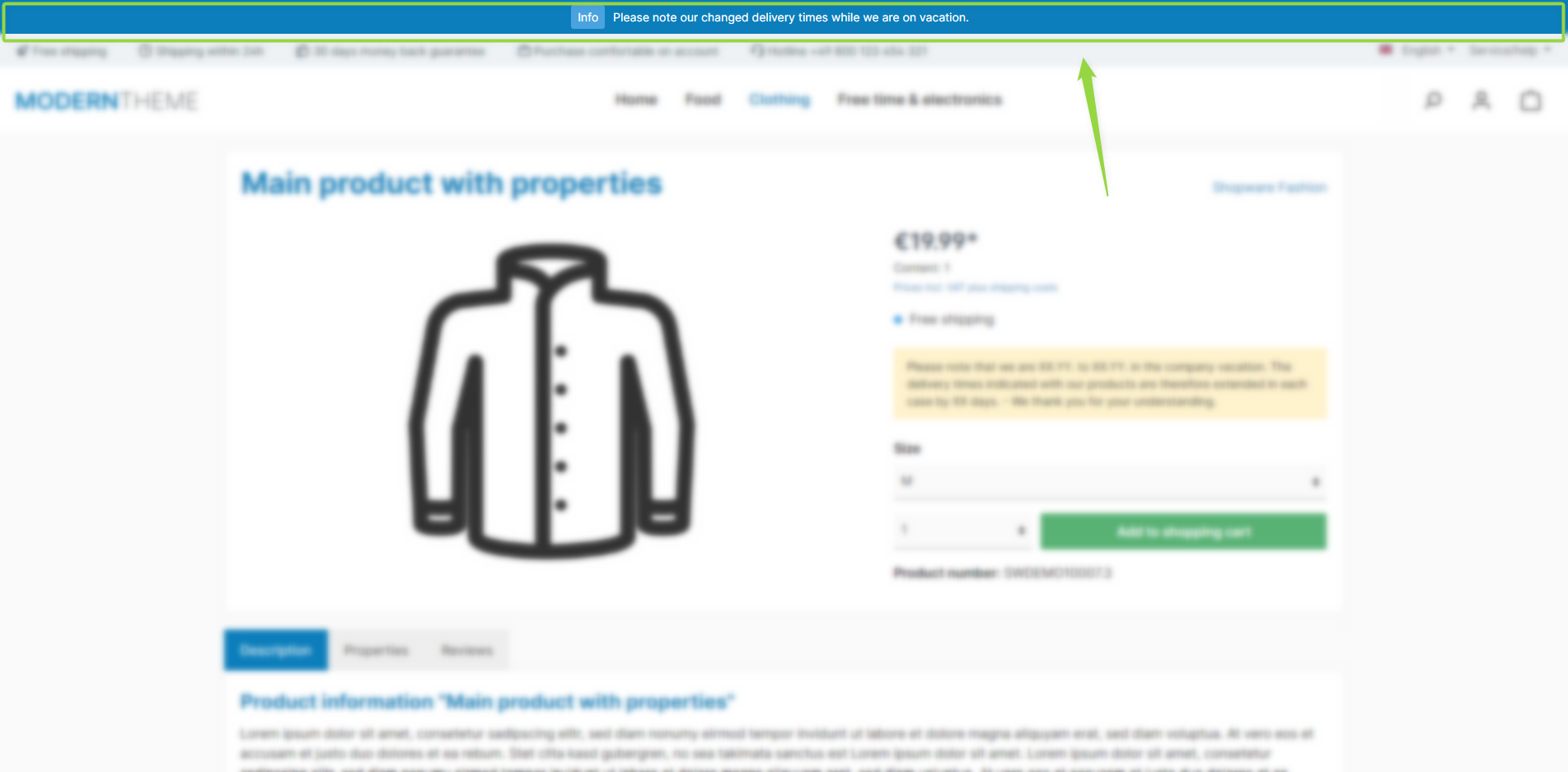
ThemeWare® "Announcement banner"
Note: The announcement banner is shown above the header if the "Show announcement banner" configuration is enabled. If you have set a start and/or end date, it only appears within that period.
Configuration
Theme configuration
- Go to the tab "Extensions"
- Expand the block "Announcement banner (in the header)"
- Enable the banner with the configuration "Show announcement banner"
- Save your changes after editing
Content
- Edit the text of the announcement banner using the snippet
twt.extension.announcementBanner.content - Optional: Edit the link URL using the snippet
twt.extension.announcementBanner.link(only used if the "Link banner" configuration is enabled)
Note: For information on how to edit snippets, see the following instructions: Texts: Editing and translation
Tip: If a change does not affect the storefront, just clear the Shopware cache: Clearing / warming up the Shopware cache
Options
- Closable
- Adds a close button that lets visitors hide the banner (details below).
- Start date / End date
- Limits the display of the banner to a period.
- Link banner
- Makes the entire banner clickable; you set the target URL via the snippet
twt.extension.announcementBanner.link.
- Makes the entire banner clickable; you set the target URL via the snippet
- Open link in new tab
- Opens the linked banner in a new browser tab.
- Link relation "nofollow"
- Adds the attribute
rel="nofollow"to the banner link.
- Adds the attribute
Announcement banner closable
With the configuration "Closable", a close button is added to the banner. This allows the visitor to hide the banner for one day.
This is logged via a "local storage" cookie. An seperate entry is added to the cookie consent from Shopware for this purpose. If this "comfort feature" is not agreed to, the close button is not displayed.
Note: Please note that Shopware adds this entry for each installed theme! This option is therefore not recommended if you are using more than one ThemeWare® theme.
Summary
Theme configuration
- Tab "Extensions" => Block "Announcement banner (in the header)" => Show announcement banner
- Tab "Extensions" => Block "Announcement banner (in the header)" => Section "Basic configuration" => Closable / Start date / End date / Link banner / Open link in new tab / Link relation "nofollow"
Snippets
- Text
twt.extension.announcementBanner.content
- Link
twt.extension.announcementBanner.link
- Aria label
twt.extension.announcementBanner.ariaLabeltwt.extension.announcementBanner.closeButton.ariaLabel