
You can assign content in the ThemeWare® Footer to footer elements and arrange them. Footer elements are "slots" in the individual columns of the respective footer section. You can fill these footer elements with ThemeWare® Widgets.
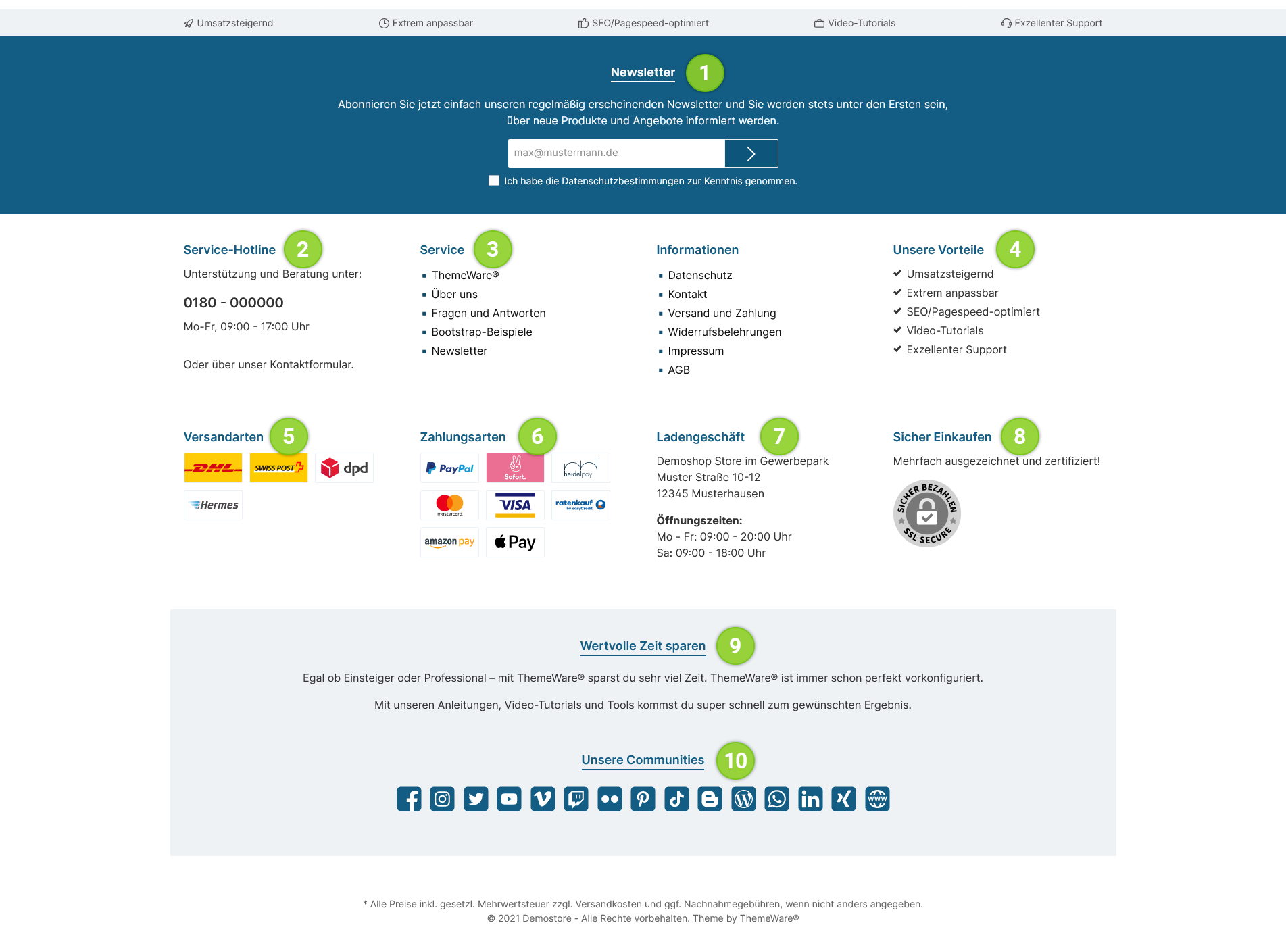
- ThemeWare® "Newsletter" widget
- Service hotline
- Footer navigation
- ThemeWare® "Benefits" widget
- ThemeWare® "Shipping methods" widget
- ThemeWare® "Payment methods" widget
- ThemeWare® "Location or Store" Widget
- ThemeWare® "Awards, seals or certificates" widget
- ThemeWare® "About Us" widget
- ThemeWare® "Communities or Social Media" widget