
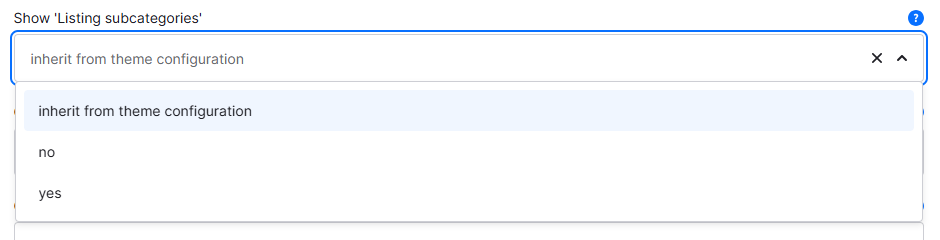
With the category custom field "Listing subcategories" you can select whether the theme extension "Listing subcategories" should be displayed in this category.
Custom field
Tip: General or global settings can be found in the theme configuration.
Custom field
You can find the "Show 'Listing subcategories'" custom field in the respective category:
Tab "General" ⇒ Block "Custom fields" ⇒ Tab (Set) "Categories (ThemeWare® ... Pro)"
Type: Selection
Technical name: twt_{theme}_{edition}_custom_field__category__listing_subcategories
Options
Select whether you want to display the "Listing subcategories" in this category.
- inherit from theme configuration
- This is the default option. In this case, the theme configuration decides whether the "Listing subcategories" are displayed or not.
- no
- The "Listing subcategories" are not displayed in this category, regardless of the theme configuration settings.
- yes
- The "Listing subcategories" are displayed in this category if you have selected the representation option
show (via custom field)in the theme configuration.
- The "Listing subcategories" are displayed in this category if you have selected the representation option
Note: Of course, only subcategories are displayed if a category has visible subcategories and Shopware provides them in the corresponding category tree.
Theme configuration
You can find the general (global) settings in the theme configuration:
Tab "Extensions" => Block "Listing subcategories (on listing pages)"
Further information
You can find more information about the extension "Listing subcategories" here:
Listing subcategories