
The buybox is part of the default CMS element "Image gallery and buy box" of Shopware 6.
You can configure the buybox (2) via the corresponding CMS layout of your product page(s) and via the ThemeWare®.
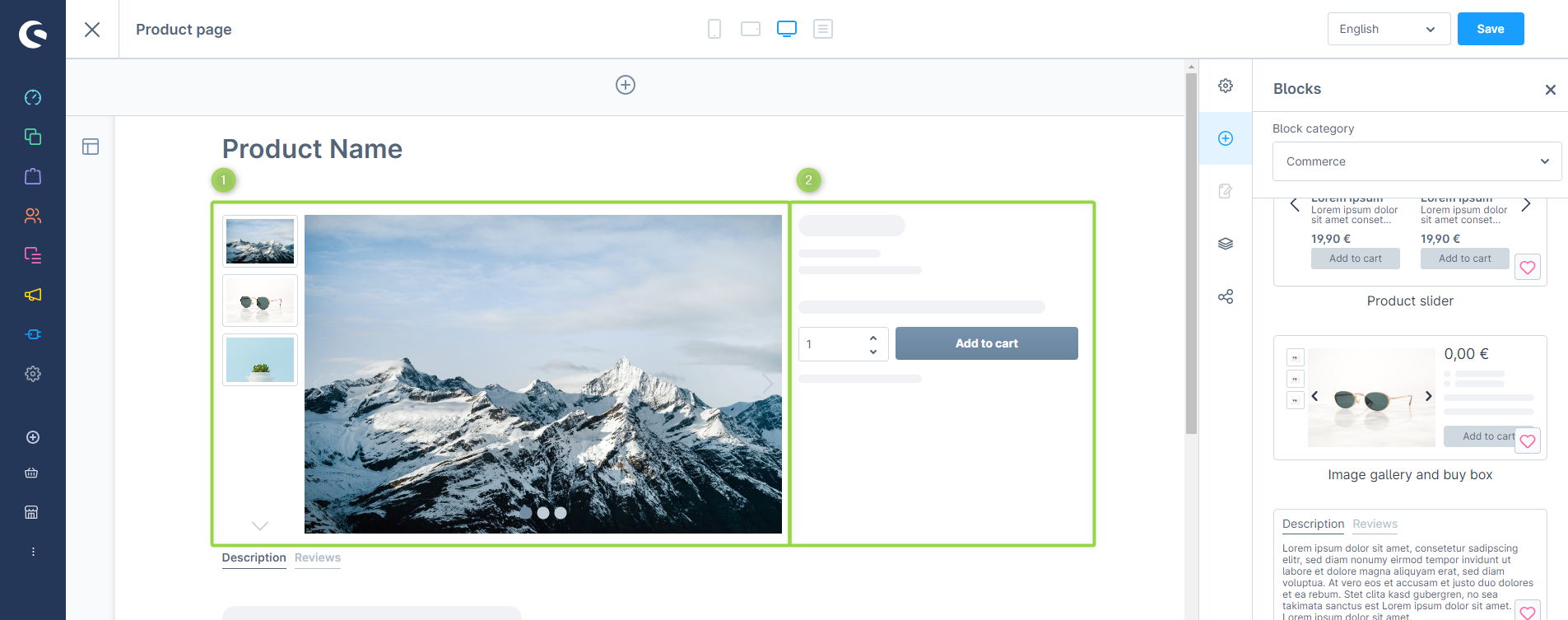
Image gallery and buy box
Default components
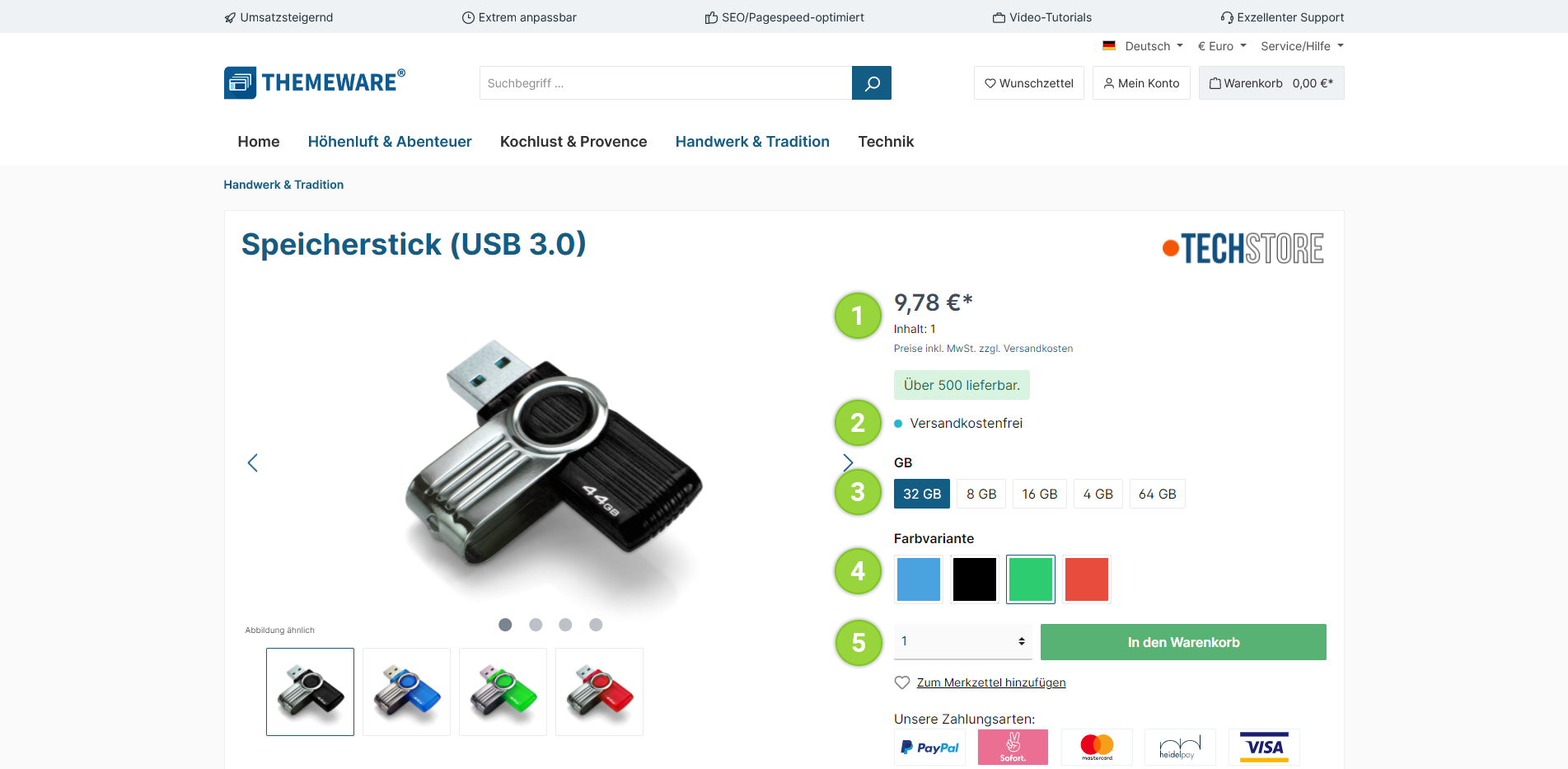
- Price
- Free shipping note
- Variant selection ("Text" layout)
- Variant selection ("Colour" layout)
- Quantity selection and buy button
ThemeWare® enhancements
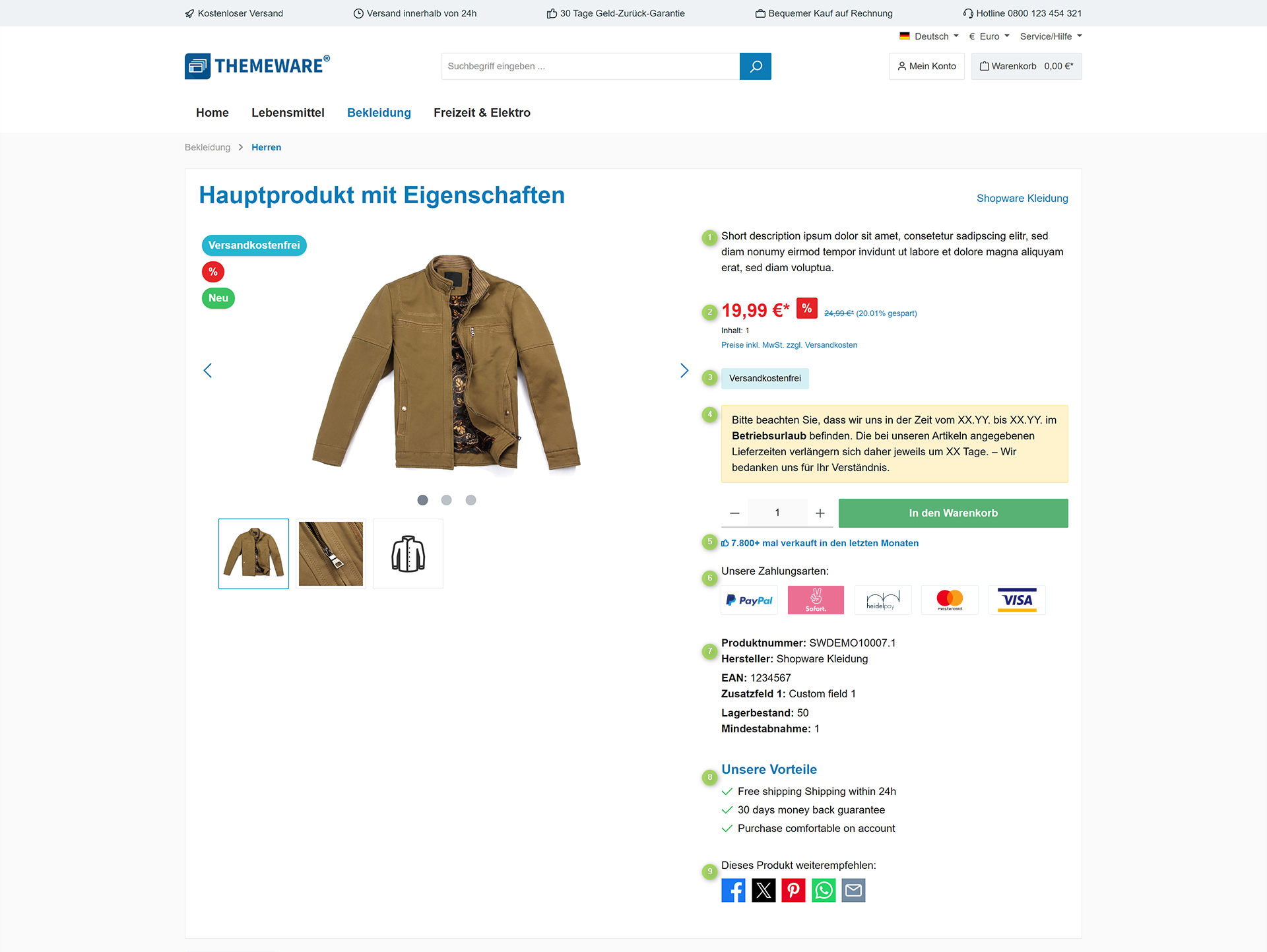
- ThemeWare® Short description
- Discounted price (+list price)
- ThemeWare® Free shipping note
- ThemeWare® Individual announcement
- ThemeWare® Social proofing
- ThemeWare® Payment logos on the product page
- Product number + ThemeWare® Product specifications
- ThemeWare® Product benefits
- ThemeWare® Sharing links