
The ThemeWare® Dashboard gives you all important information, setup guides, and quick access links at a glance.
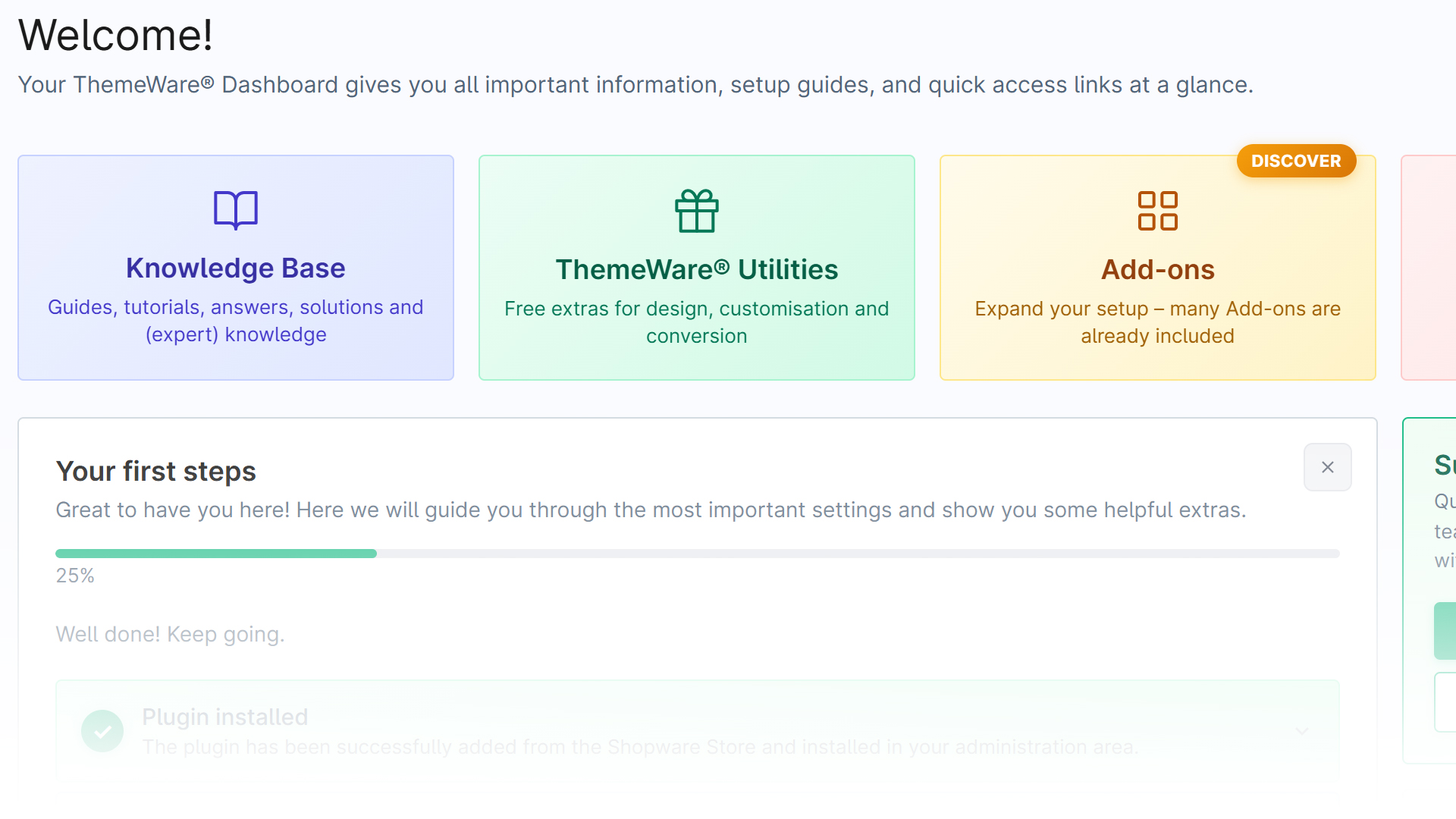
Quick access
The tile bar takes you straight to the most important areas and resources:
- Knowledge base — guides, tutorials and expert knowledge
- ThemeWare® Utilities — free extras (opens the Utilities tab)
- Add-ons — extensions for your setup (opens the Add-ons tab)
- Video tutorial — step-by-step videos
- Manual, News, Changelog and Share feedback — documentation, updates and suggestions
Your first steps (setup assistant)
The setup assistant guides you through the most important steps; a progress bar shows how far you are:
- Plugin installed — already done once the theme is active in your administration.
- Configure settings — adjust the theme configuration for your sales channel.
- Get the free ThemeWare® Utilities package — shopping experiences, 100+ logos and customising plugin.
- Personalise your shop — adjust texts for the top bar, footer and social media.
You can expand each step and mark it as done, or hide the whole assistant via the ×.
Support & reviews
The sidebar offers:
- Support & help — direct access to the support chat and ticket creation.
- What our users say — reviews from other shop owners plus the option to leave a review yourself.
More areas
At the bottom of the dashboard you'll find additional cards:
- Remove footer notice — request removal of the branding.
- For agencies & partners — priority support and partner programme.