
Note: This element and this article are work in progress.
The ThemeWare® "Testimonial (Customer review)" element is a CMS element to show customer reviews in your Shopping Experiences. You can use the element in different CMS blocks (e.g. the ThemeWare® "Column blocks").
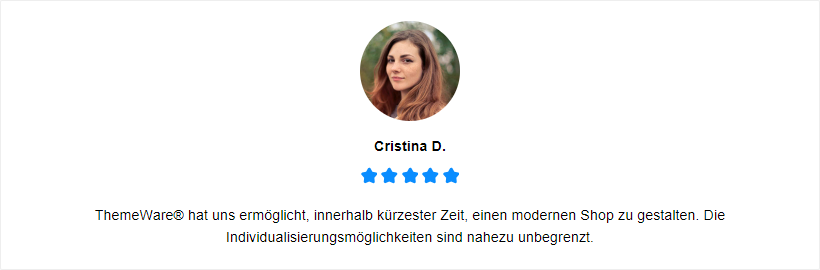
ThemeWare® "Testimonial (Customer review)"
Beta: This feature is currently in beta and may change in a future release. – We'd love to hear your feedback.
Important: This element is only available in the ThemeWare® Pro Edition.
Configure element
You can configure the ThemeWare® "Testimonial" element as follows:
- Click on the corresponding CMS block (1) to activate the "edit mode"
- Hover the mouse over the desired CMS element
- Click on the
 "gear" icon (2) to configure the CMS element
 - The "Element Settings" pop-up will open
- Make the desired changes
- Save your changes
You have now configured the CMS element.
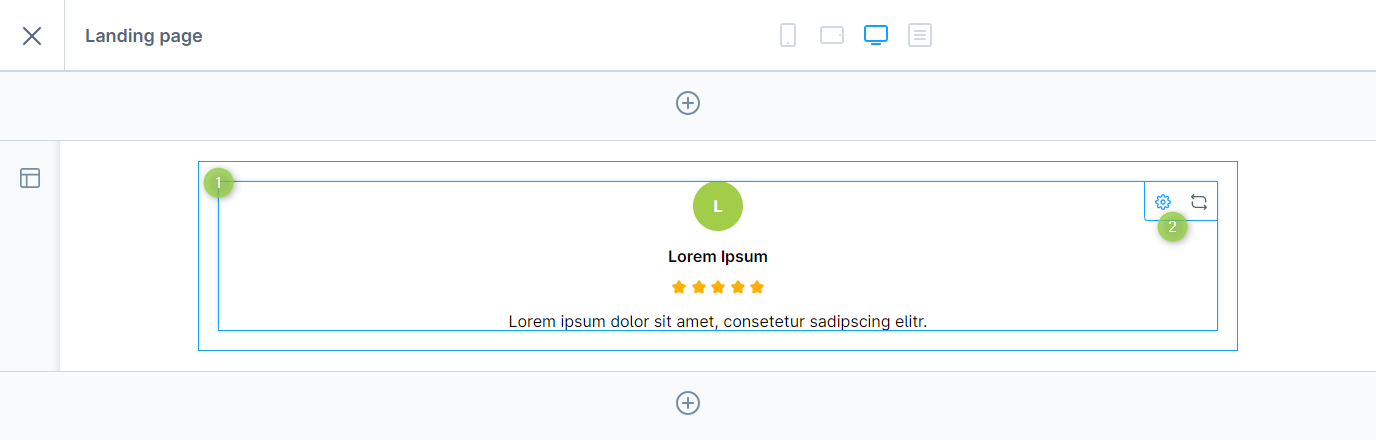
Configuring the ThemeWare® "Testimonial"
Configuration
The configuration of the "Testimonial" is quite self-explanatory. The name, the rating and the review of the customer are mandatory fields. That's all you really need to configure.
General
In the tab "General" you configure the content of the element.
Text
In the section "Text" you can enter the name (2), the rating (3) and the review (4) of the customer. All three are mandatory fields.
Avatar
In the section "Avatar" you can select the type of avatar (1) and, if desired, the image (1) of the customer.
Note: The review is capable of HTML. However, it is best to limit yourself to paragraph formatting.
Layout
In the tab "Layout" you can configure the appearance of the element.
General
In the section "General" you can configure the text alignment, the background colour and the padding of the element and also specify whether the element should have rounded corners.
Name
In the section "Name" you can configure the font and text colour of the name (2).
Rating
In the section "Rating" you can select the style of the rating (3) and, depending on the style, configure the colour and background colour.
Review
In the section "Review" you can select the position of the review (4) and configure the font and text colour.
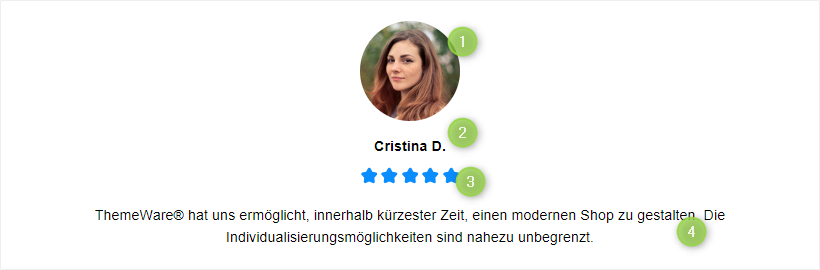
Elements of the "Testimonial"
SEO & Pagespeed
In the tab "SEO & Pagespeed" you can configure the HTML tag for the name.
Advanced
You can select each HTML element of our CMS elements using the appropriate CSS classes. If you want to use your own CSS classes, you can insert them in the "Advanced" tab.
Examples

ThemeWare® "Testimonial (customer review)" variations
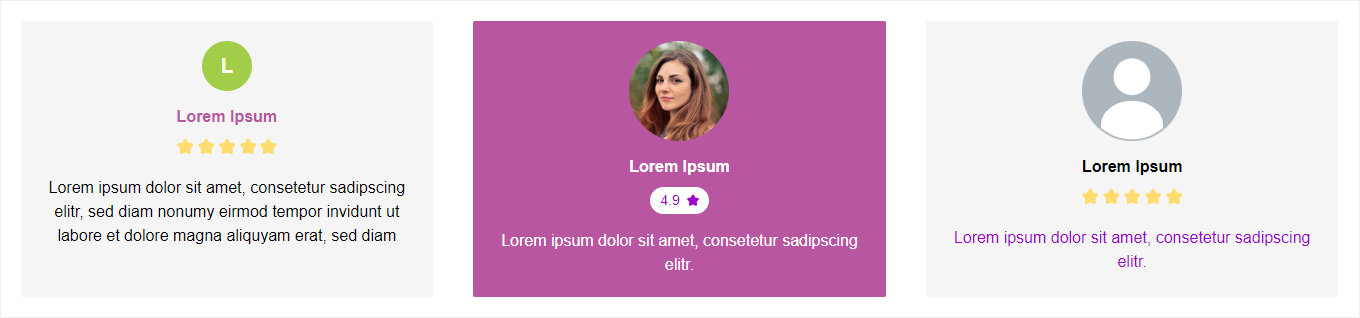
Demo
You can find some examples of use in our demo shops:
ThemeWare® Demoshop => Testimonials