
With the sharing links, visitors can share a product via social networks and e-mail – displayed in the buybox on the product page.
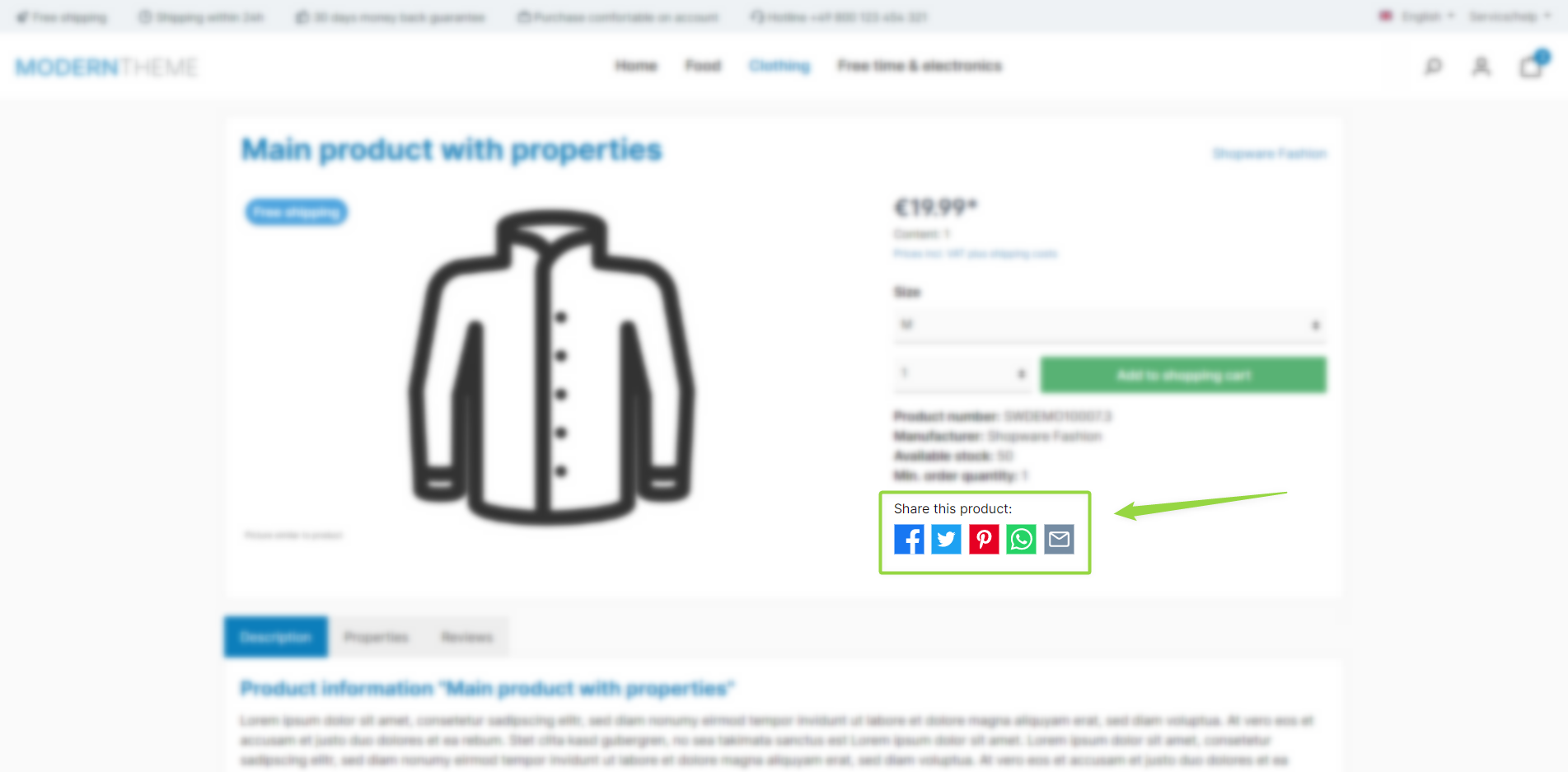
ThemeWare® "Sharing links"
Configuration
Theme configuration
- Go to the "Product pages" tab
- Expand the "Sharing links (in the buy box)" block
- Enable the configuration "Show sharing links"
- Save your changes after editing
Content
- Customise the headline using the following snippet:
twt.detail.socialSharingLinks.headline
For each channel (icon) you define a label (label – used as the icon's aria label) and a title (title – shown as a tooltip):
- Facebook
twt.detail.socialSharingLinks.facebook.labeltwt.detail.socialSharingLinks.facebook.title
- Twitter
twt.detail.socialSharingLinks.twitter.labeltwt.detail.socialSharingLinks.twitter.title
- Pinterest
twt.detail.socialSharingLinks.pinterest.labeltwt.detail.socialSharingLinks.pinterest.title
- WhatsApp
twt.detail.socialSharingLinks.whatsapp.labeltwt.detail.socialSharingLinks.whatsapp.title
- X / Twitter
twt.detail.socialSharingLinks.x.labeltwt.detail.socialSharingLinks.x.title
- E-mail
twt.detail.socialSharingLinks.email.labeltwt.detail.socialSharingLinks.email.title
When sharing via e-mail, a pre-filled message is generated in addition. You can customise the salutation, message text and closing using the following snippets:
- Salutation
twt.detail.socialSharingLinks.email.salutation
- Message text
twt.detail.socialSharingLinks.email.body
- Closing
twt.detail.socialSharingLinks.email.closing
Note: For information on how to edit snippets, see the following instructions: Texts: Editing and translation
Tip: If a change does not affect the storefront, just clear the Shopware cache: Clearing / warming up the Shopware cache
Options
You decide which channels are offered individually in the same block – each via its own configuration for Facebook, Twitter, X, Pinterest, WhatsApp and e-mail.
Summary
Theme configuration
- Tab "Product pages" => Block "Sharing links (in the buy box)" => Show sharing links
Snippets
- Headline
twt.detail.socialSharingLinks.headline
- E-mail
twt.detail.socialSharingLinks.email.bodytwt.detail.socialSharingLinks.email.closingtwt.detail.socialSharingLinks.email.labeltwt.detail.socialSharingLinks.email.salutationtwt.detail.socialSharingLinks.email.title
- Facebook
twt.detail.socialSharingLinks.facebook.labeltwt.detail.socialSharingLinks.facebook.title
- Pinterest
twt.detail.socialSharingLinks.pinterest.labeltwt.detail.socialSharingLinks.pinterest.title
- Twitter
twt.detail.socialSharingLinks.twitter.labeltwt.detail.socialSharingLinks.twitter.title
- WhatsApp
twt.detail.socialSharingLinks.whatsapp.labeltwt.detail.socialSharingLinks.whatsapp.title
- X
twt.detail.socialSharingLinks.x.labeltwt.detail.socialSharingLinks.x.title