
Fehlerbeschreibung
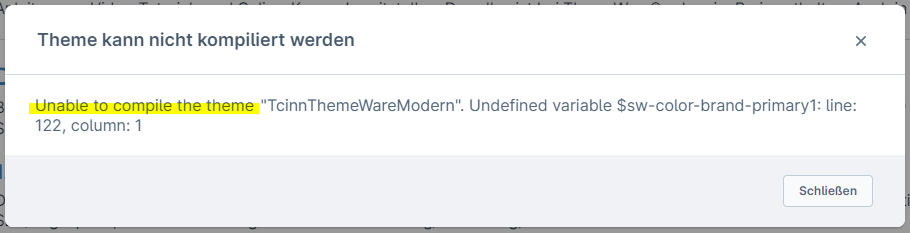
Du erhältst in der Theme-Konfiguration die Fehlermeldung Unable to compile the theme "TcinnThemeWare...".
Ursache
Hier gibt es mehrere Möglichkeiten, denn dieser Fehler kann durch eine unbekannte Variable in einem Konfigurationsfeld oder durch ein falsch befülltest Konfiguratoinsfeld entstehen.
- Unable to compile the theme "TcinnThemeWare...". Undefined variable $...
- Unable to compile the theme "TcinnThemeWare...". parse error: failed at $...
Darüber gibt es durch die neuen Validierung der Theme-Konfiguration ab Shopware 6.6.9 neue Fehlermeldungen:
- Unable to compile the theme "TcinnThemeWare...". Error: argument `$color` of `red($color)` must be a color
- Unable to compile the theme "TcinnThemeWare...". $color: 0 is not a color
- Unable to compile the theme "TcinnThemeWare...". $color2: 0 is not a color
Lösungen
Entscheidend ist der Teil direkt nach der Meldung Unable to compile the theme "...". Dort steht Undefined variable $... oder parse error: failed at $... oder ein Verweis auf die Variable $color bzw. $color2.